

QC that teaches the why, and a log that writes itself.
Trainees run coaching QCs on their own reports, fix what they can and escalate what needs you. Every file they work gets an experience log entry written from what they actually did, with hours you approve.
Training takes time you don't have, and the log takes more.
Every trainee report needs a careful review, every correction needs an explanation, and the experience log has to match the work and the report's assistance disclosure.
Marking up the same mistakes
The same corrections, file after file, with the why explained each time.
What did they actually fix?
A revised report arrives. Which items changed, and which were ignored?
Hours and descriptions after the fact
Reconstructing what was done on each file, months later, for the state.
Coach the report. Approve the log.
Trainee mode, shared files, coaching QCs and the experience log come with every trainee seat.
Coaching QCs that explain
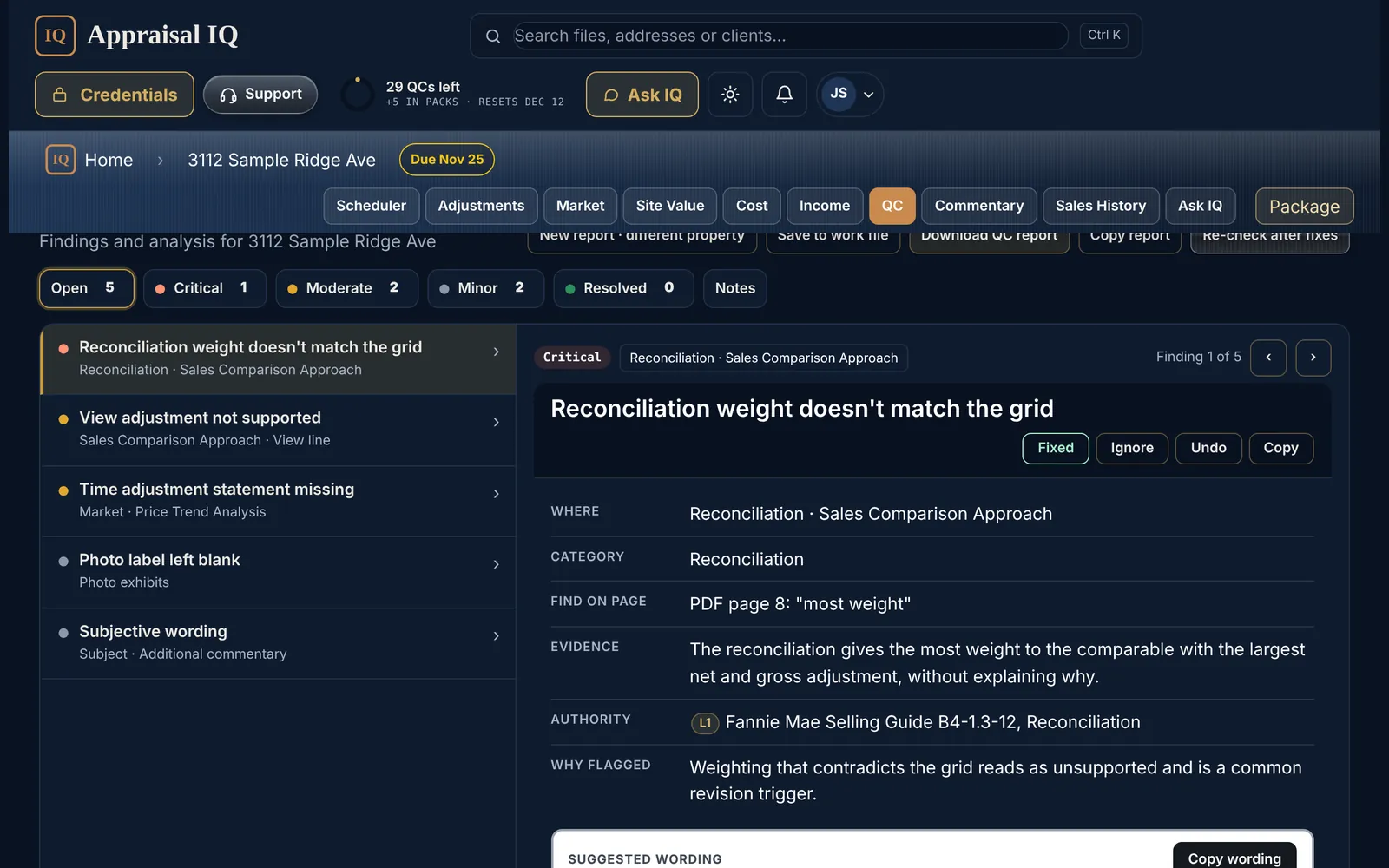
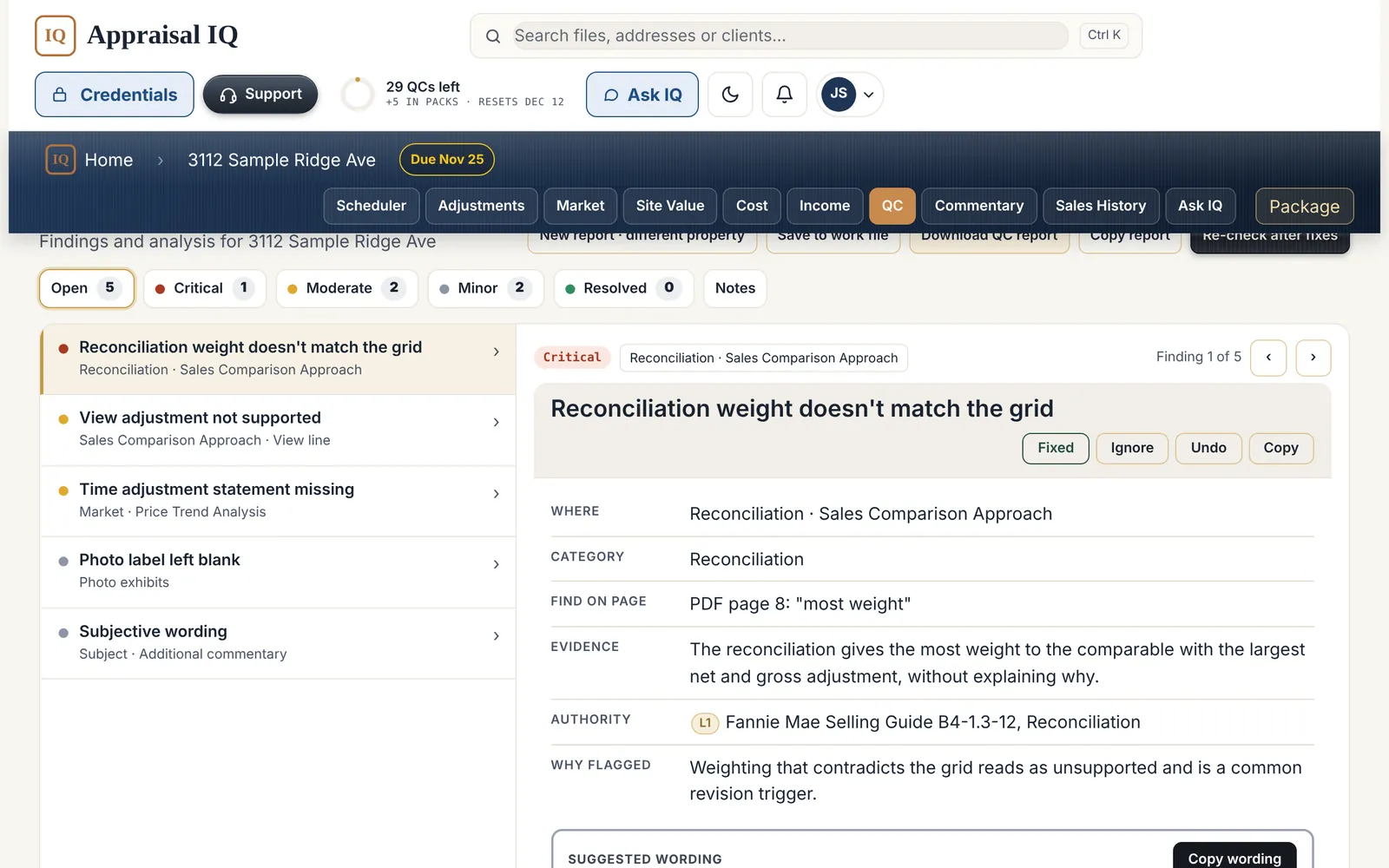
Trainee findings are sorted Correction, Caution and Consideration, and each explains why it matters. Trainees fix what they can, mark items fixed and escalate anything that needs your judgment with a question. Re-checks rescore as they fix.
- Show on page highlights the words on the PDF
- Supervisor report: fixed, open, escalated and strengths
- Ask Osova in Coach mode for the why
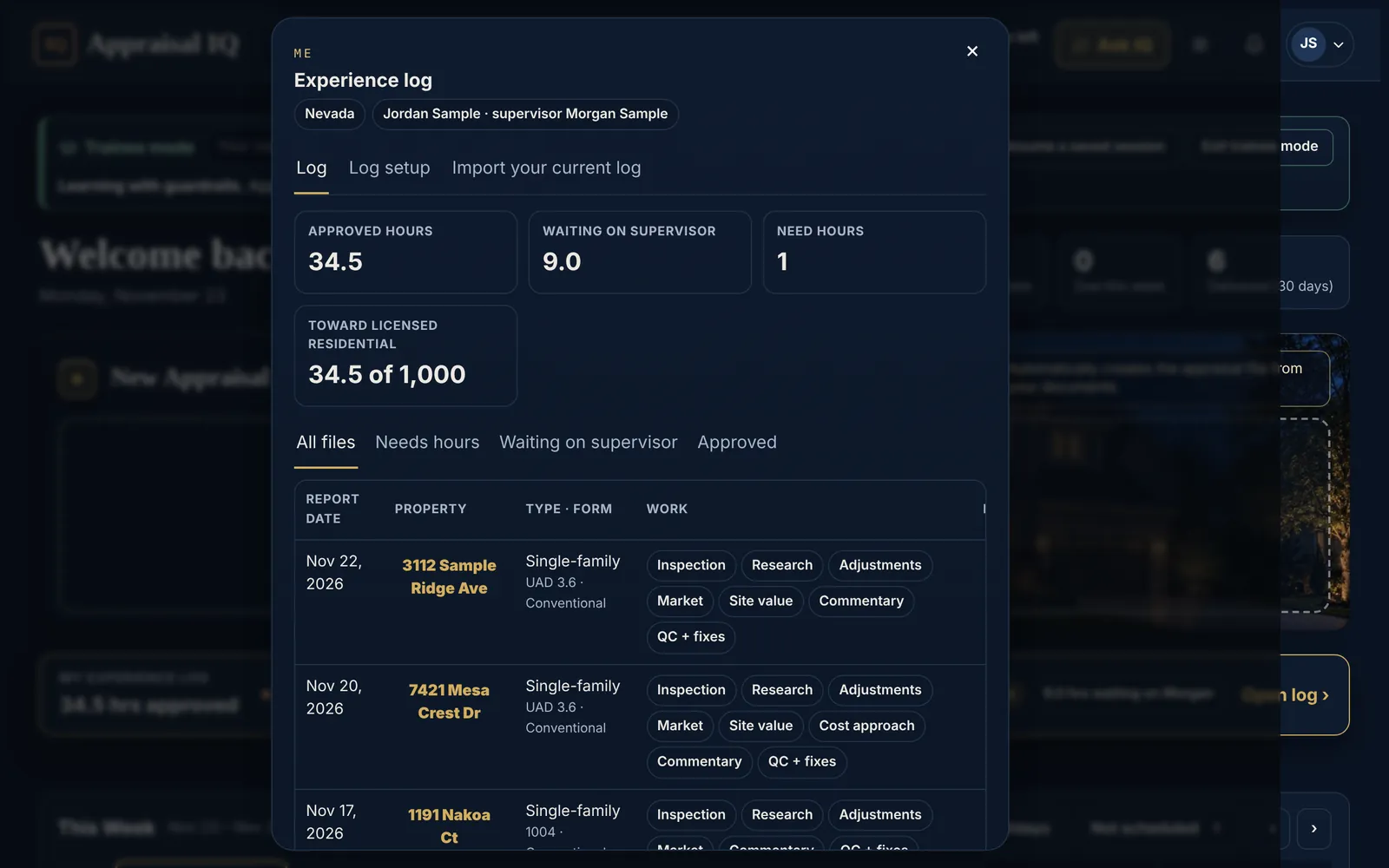
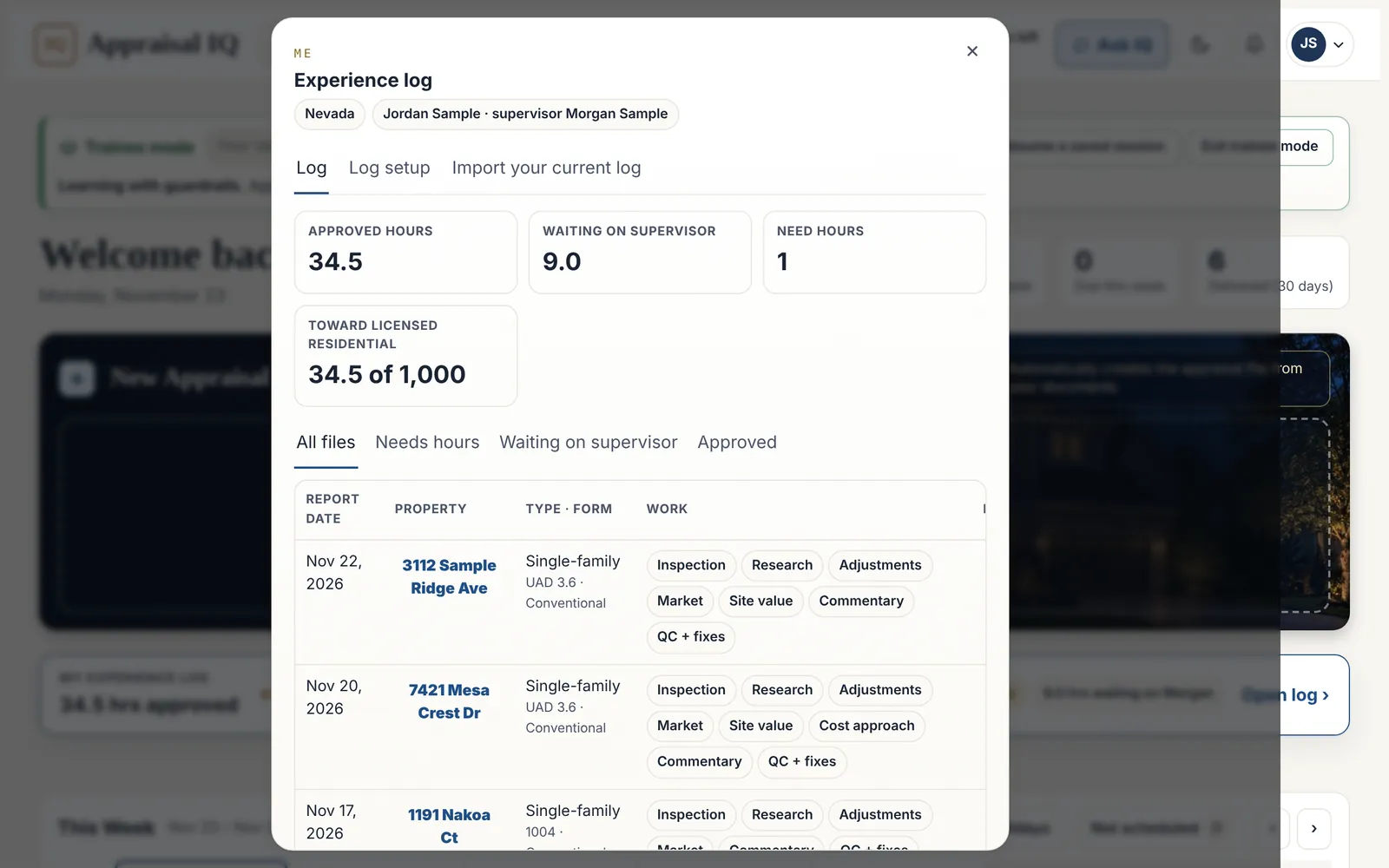
An experience log written from the work
Each file a trainee works gets a log entry written from the file's activity: inspection, research, adjustments, market, site and cost work, commentary and QC. The trainee enters the hours actually worked; you approve or send it back.
- State log formats; Utah Appendix 1 hours built in
- Import the log they already keep
- A matching assistance paragraph for the report
Everything a supervisor and trainee need.
It records the work. The supervision is yours.
Log entries are written only from what the trainee actually did on the file, and minutes in the app never count as hours. You approve every entry, and the report's assistance paragraph is written from the same work list so the report and the log agree.
Straight answers.
What does a trainee seat include?
Trainee mode, 10 coaching QCs a month plus one re-check per file, shared files, messages, the experience log and sign-off. Seats are added to your license.
Which states' log formats are supported?
Each state's form decides the log's columns, and Utah's Appendix 1 hours schedule is built in. You can also import the log the trainee already keeps, and its headings become the columns.
Do hours come from time in the app?
No. Minutes spent in the app never count. The trainee enters the hours actually worked, and your typical hours per task can pre-fill the box.
What can I export?
A Letter-size landscape PDF with page totals, carried-forward and running totals, and trainee and supervisor signature lines on every page, plus an Excel file.
One subscription. Your whole desk.
Trainee QC and supervisor view is one of 16 tools in every Osova license.
Train faster. Log it right.
New plans and pricing arrive January 1. Request early access and we'll set you up. Your reports and work stay on your computer.