

Every site method on one chart, with the comment written.
Vacant land sales, extraction from improved sales and allocation, side by side, adjusted for site size. You set the opinion of site value; Osova writes the site comment from your data and saves the work file PDF.
Site value is a box on the form and an hour in a spreadsheet.
In built-out areas there are few lot sales, so it comes down to extraction or allocation. Either way the math has to be shown, and the comment has to explain which method you relied on.
Few vacant lot sales
Built-out neighborhoods rarely sell land, and the sales that exist are older or a different size.
Extraction by hand
Sale price minus depreciated improvements, sale by sale, with the cost figures cited.
Which method, and why
The site comment has to say which indication got the most weight and why your opinion sits where it does.
Check your methods. Set your opinion. Copy the comment.
Site Value runs in your browser from the sales you enter or drop. No AI does the math.
Add the sales for each method
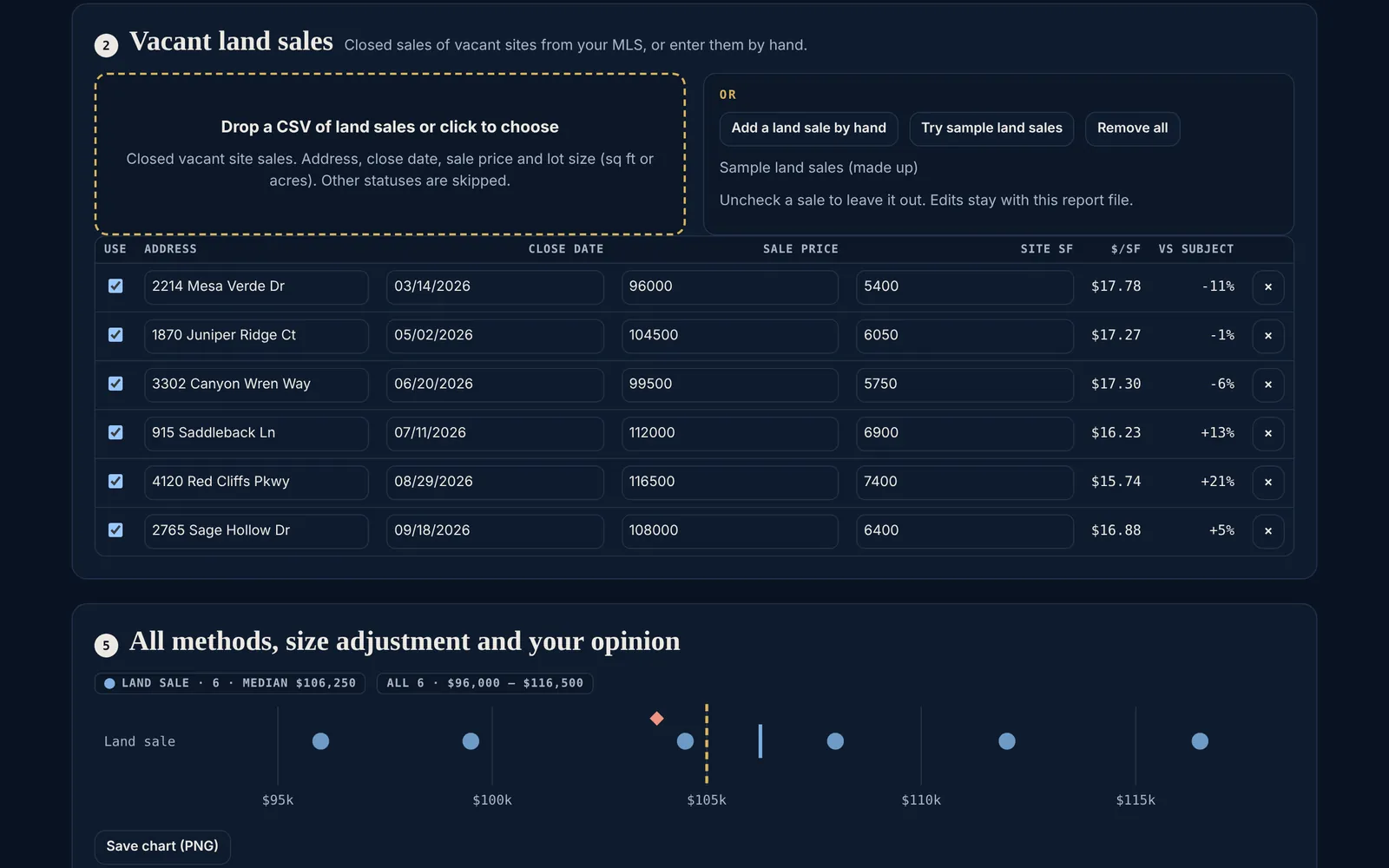
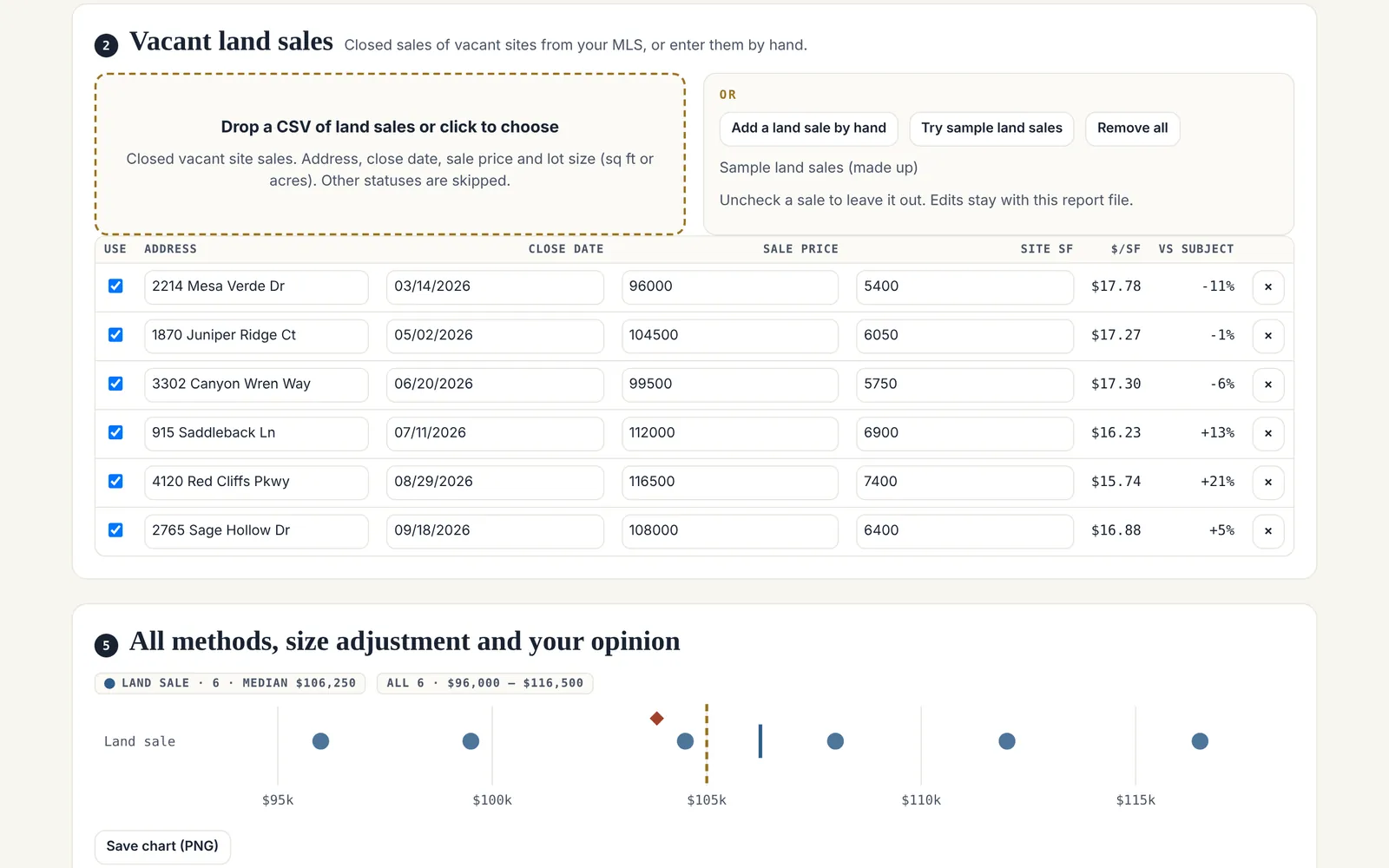
Check the methods you have data for. Drop a CSV of land sales or add them by hand, with a mic on each row. On a file, Extraction and Allocation can load your comparables and their tax records in one click.
- Each sale's $ per sf and its difference from the subject
- Prices read from PDFs kept in full, with a check on anything that looks wrong
- Every allocation ratio shows its source
See every indication and set your opinion
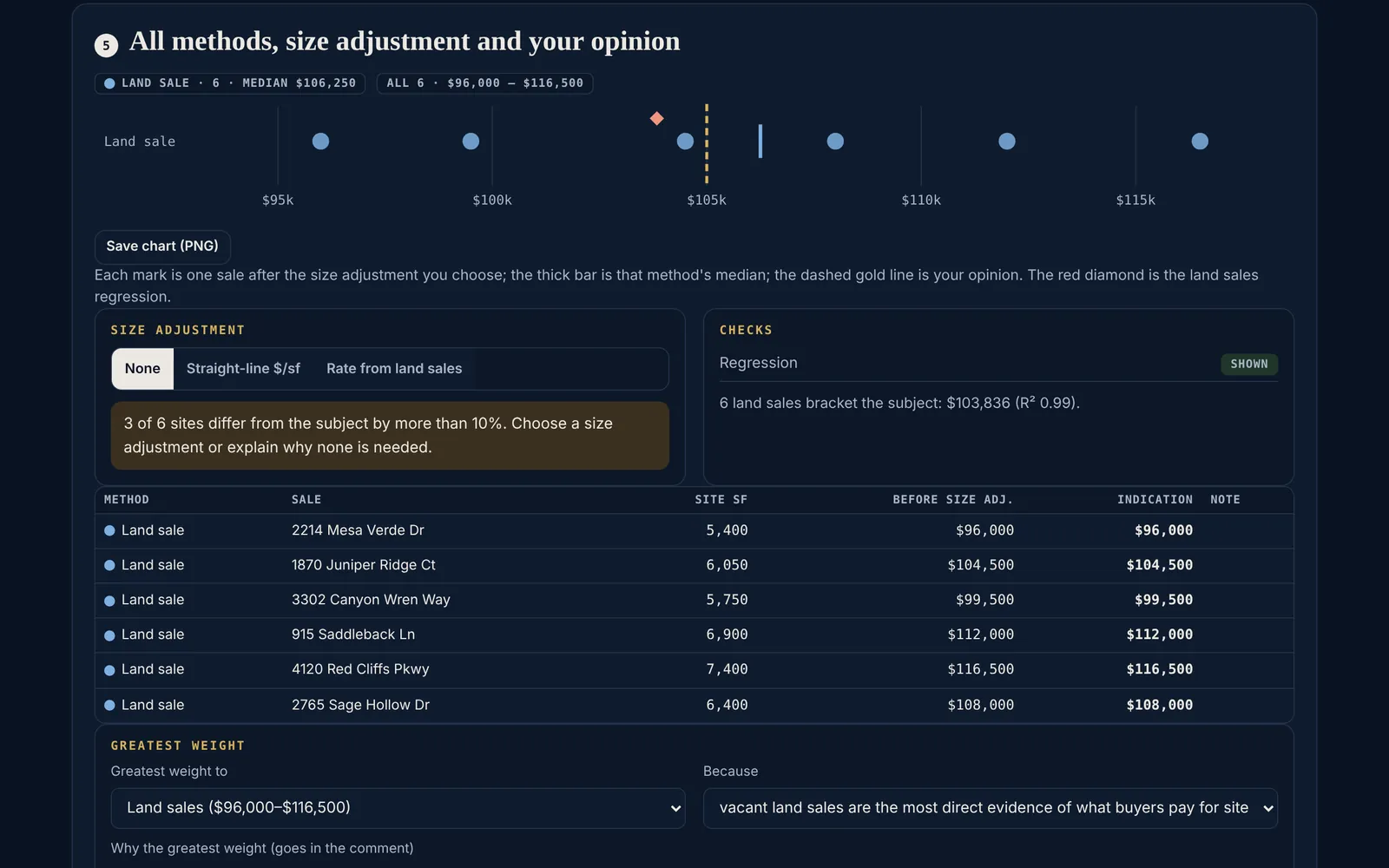
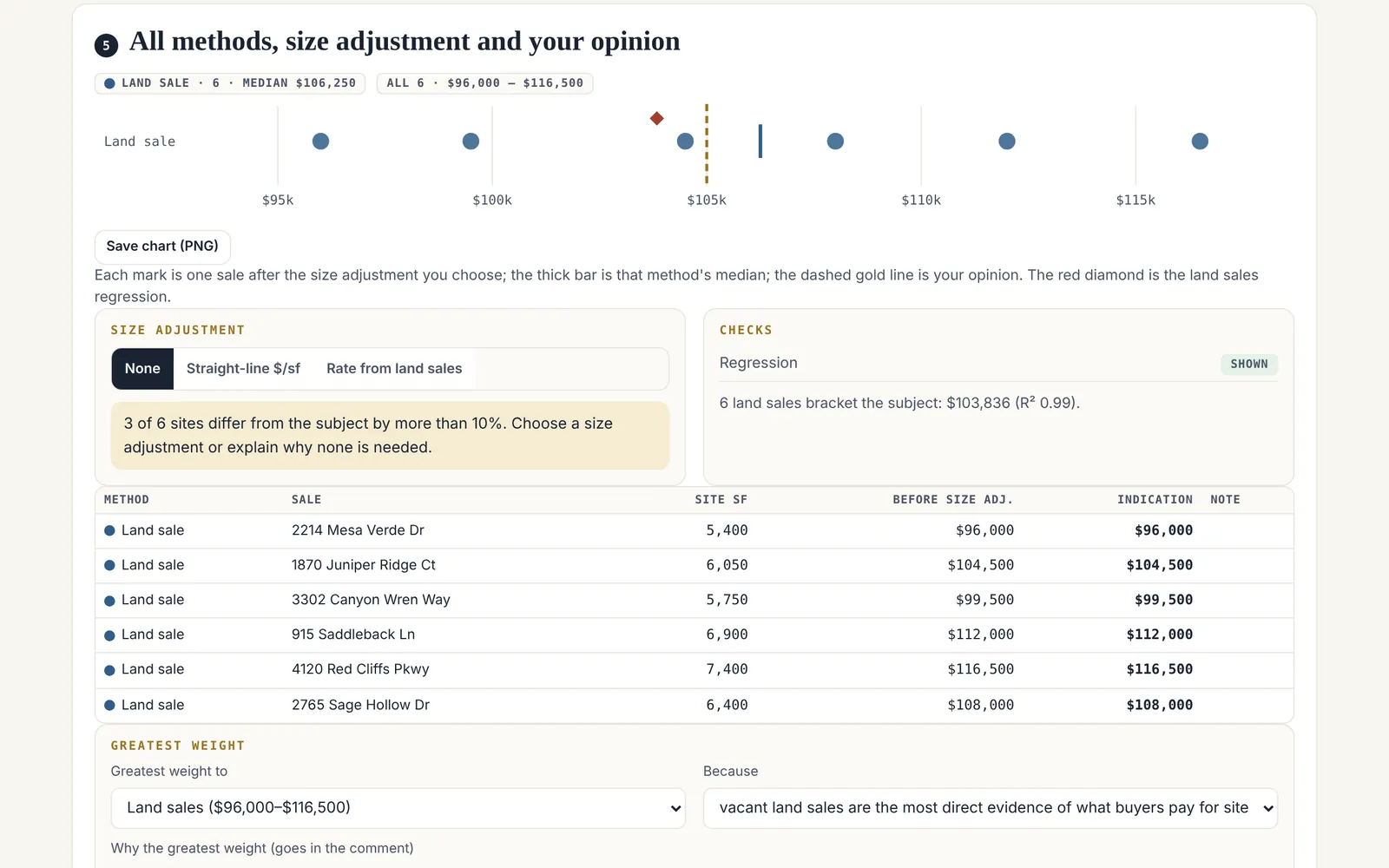
Each mark is one sale after the size adjustment you choose; the thick bar is that method's median and the dashed gold line is your opinion. Pick which method gets the most weight and why, then drag or type your opinion.
- Size adjustment flagged when sites differ by more than 10%
- Regression check shown when the sales bracket the subject
- Suggested reasons you can edit or replace
Copy the site comment and save the PDF
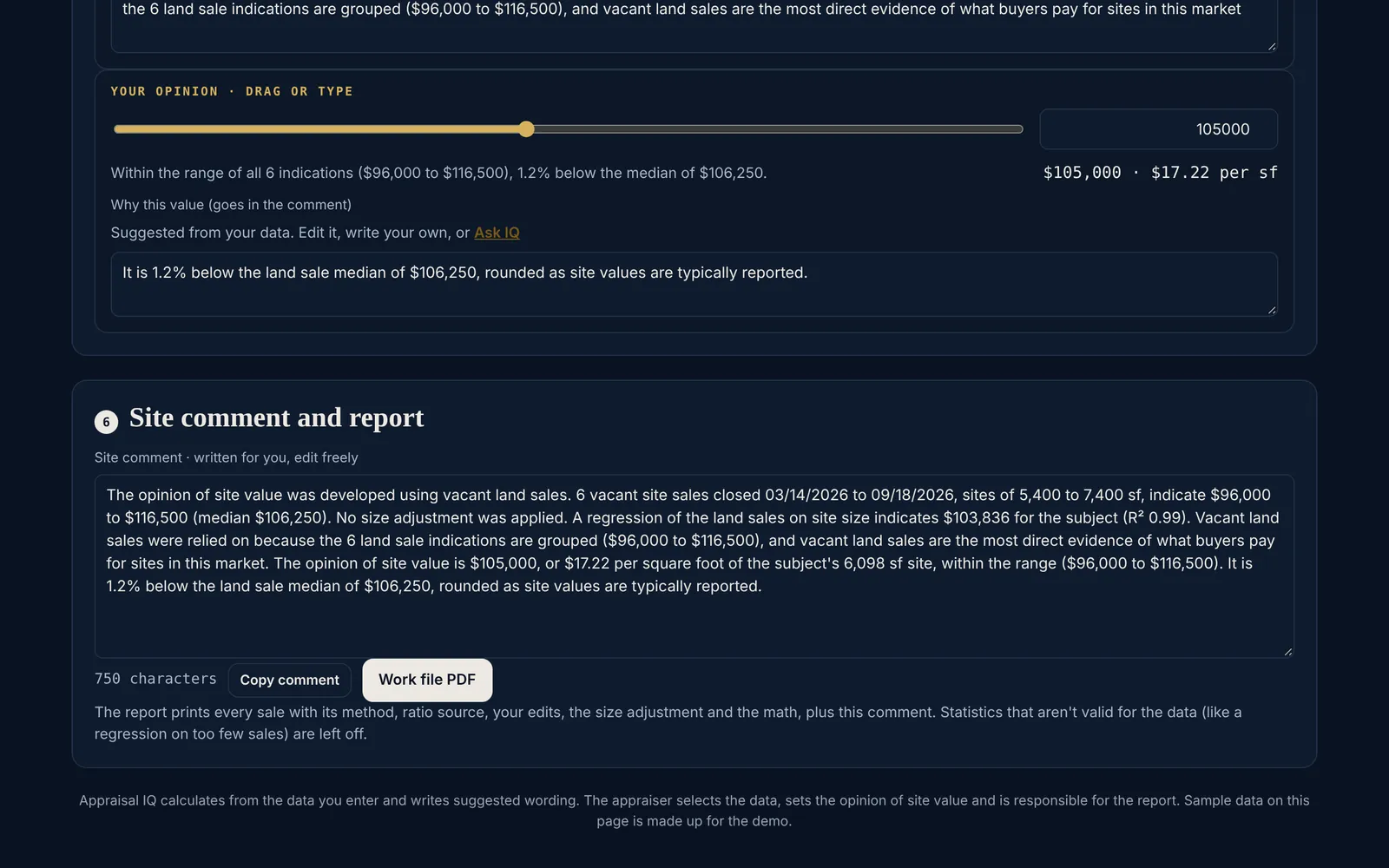
Once your opinion is set, the site comment is written from your data: how many sales, their dates and range, the size adjustment, the method relied on and where your opinion falls. Edit freely, copy it, and save the work file PDF.
- Character count shown
- Statistics that aren't valid for the data are left out
- Every sale, ratio source and the math in the PDF
The site value, supported and written up.
It runs the methods. The opinion of site value is yours.
Osova never picks your site value. It shows each method's indications and the math, and the comment is written only after you set your opinion and say why. Sample data on the page is made up for the demo.
Straight answers.
Which methods does it support?
Vacant land sales, extraction from improved sales and allocation (the land-to-total ratio). Check the methods you have data for and every checked method runs.
What if there are no lot sales?
Use extraction, which works best on newer homes where depreciation is small, or allocation, with ratios from tax records, a peer study or your own figure.
Does it use AI or a QC?
No. Site Value runs in your browser. No AI and no QC are used.
Can it use my comparables?
Yes. On a file with a comparables CSV, Extraction and Allocation load them with one click, and the comparables' tax PDFs fill the assessor land and total values where they match.
One subscription. Your whole desk.
Site Value report is one of 16 tools in every Osova license.
Your next site value, supported.
New plans and pricing arrive January 1. Request early access and we'll set you up. Your reports and work stay on your computer.