

Market rent and the GRM, from your own leased rentals.
Drop your leased MLS export. Osova measures each rent adjustment, builds the rent grid like your sales grid, checks it against an agent survey, and for the income approach extracts a GRM from sales and leases of the same homes. Every weight and conclusion is yours.
Market rent is a grid nobody wants to build by hand.
UAD 3.6 puts rental information on more files, and 2-4 units need the full income approach. Rent adjustments, a rent grid and a GRM all need support, and leases and sales live in different MLS searches.
Rent adjustments by feel
$50 a bedroom, $25 a bath. Reviewers want to see where those came from.
Pairing sales with leases
The same home sold and leased, matched by hand across two exports with different address formats.
Agents who won't be named
A rent survey is good support, but some agents don't want their name in a report.
Drop the leases. Get the rent, the grid and the GRM.
Rentals and Income Approach works like Adjustment Analysis, in dollars a month. No AI is used on this page.
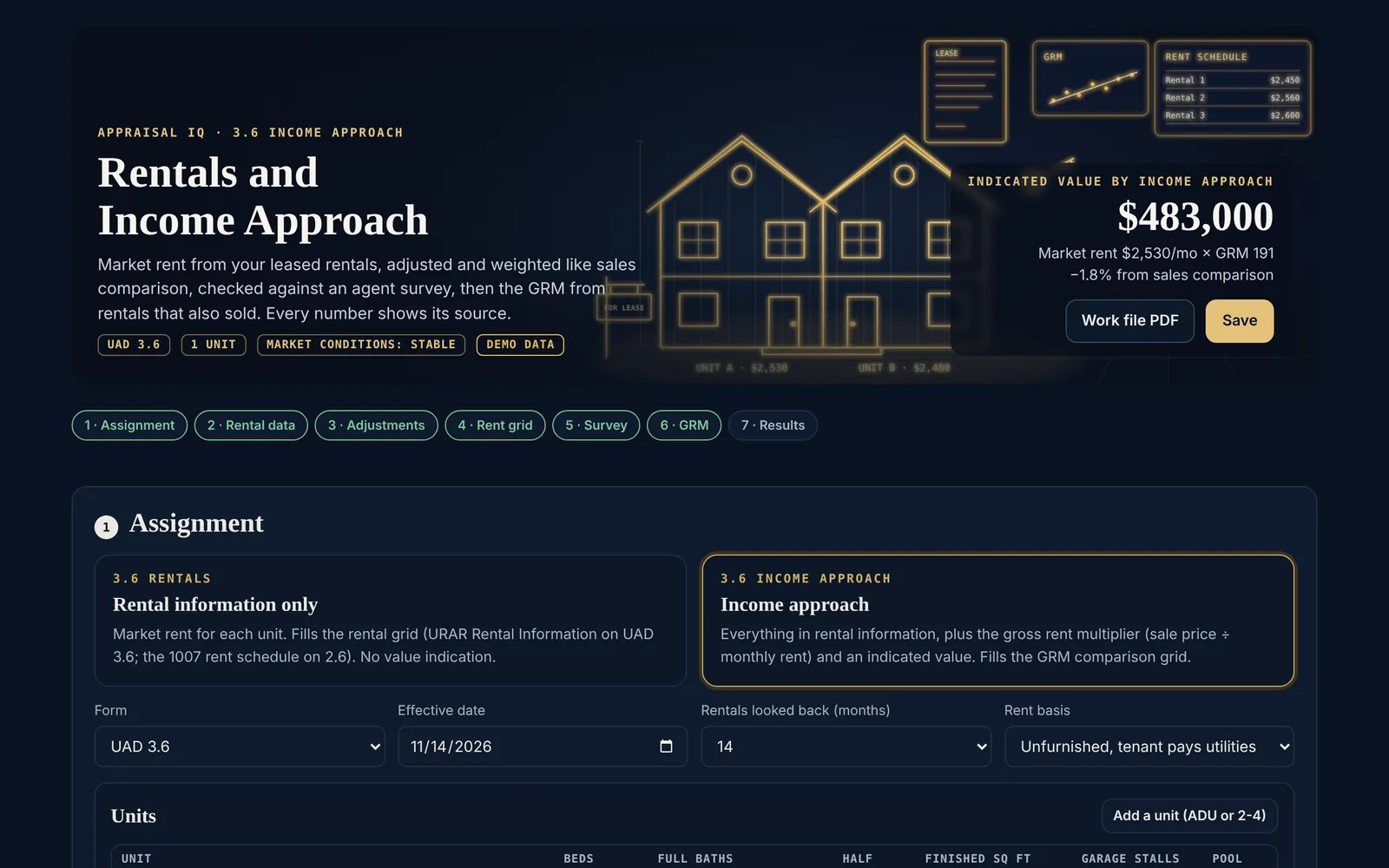
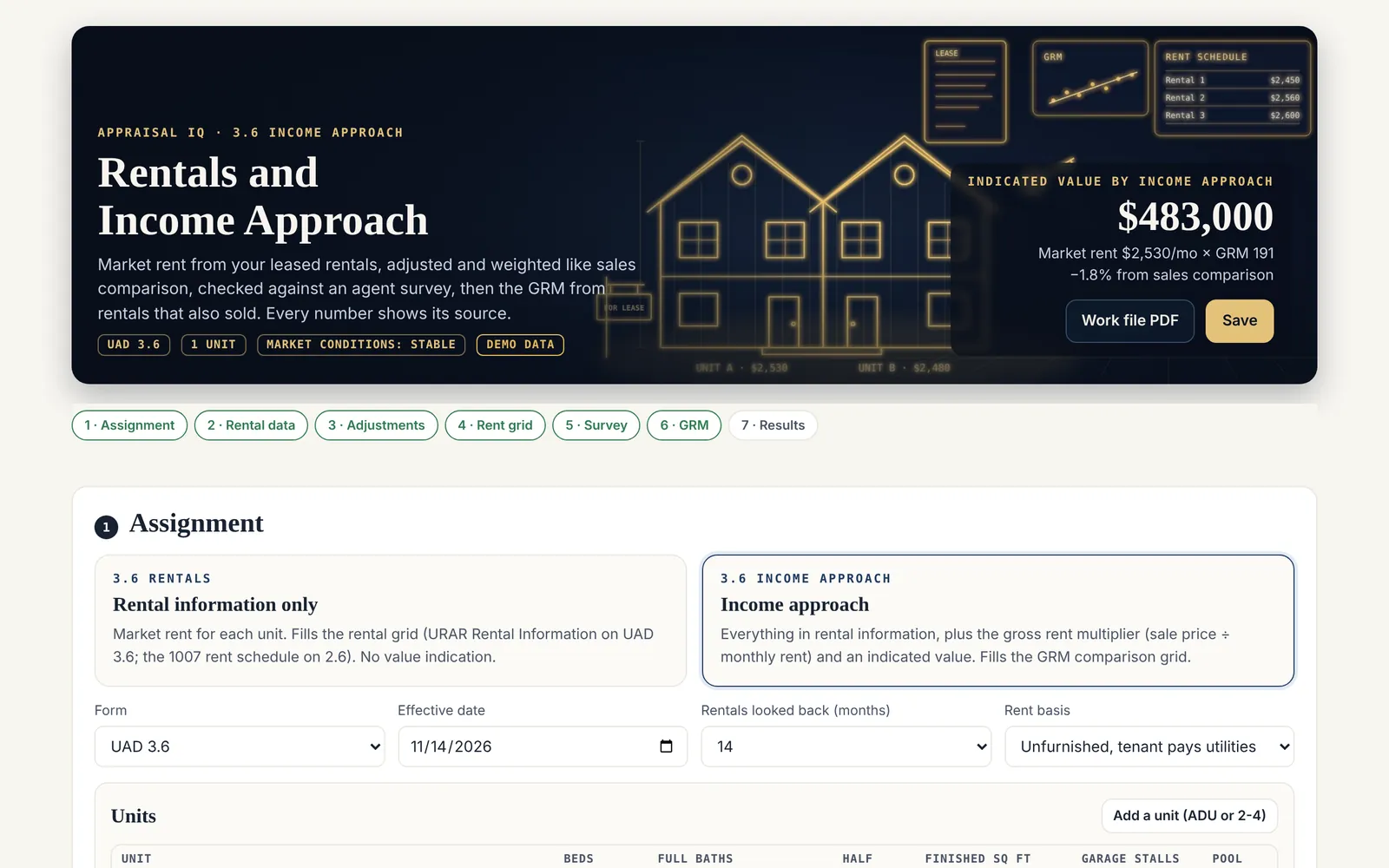
Pick the mode and drop the rentals
Choose Rentals for market rent only, or the Income approach for the GRM and an indicated value. Drop your leased MLS export and any property manager lists or leases. Furnished, short-term and never-leased listings are left out, and a sold export dropped by mistake is kept for the GRM.
- Units fill from the subject page; add an ADU or each unit of a 2-4
- 12 months looked back by default; widen it in thin markets
- Rent basis: unfurnished, tenant or owner pays utilities
See each rent adjustment and its strength
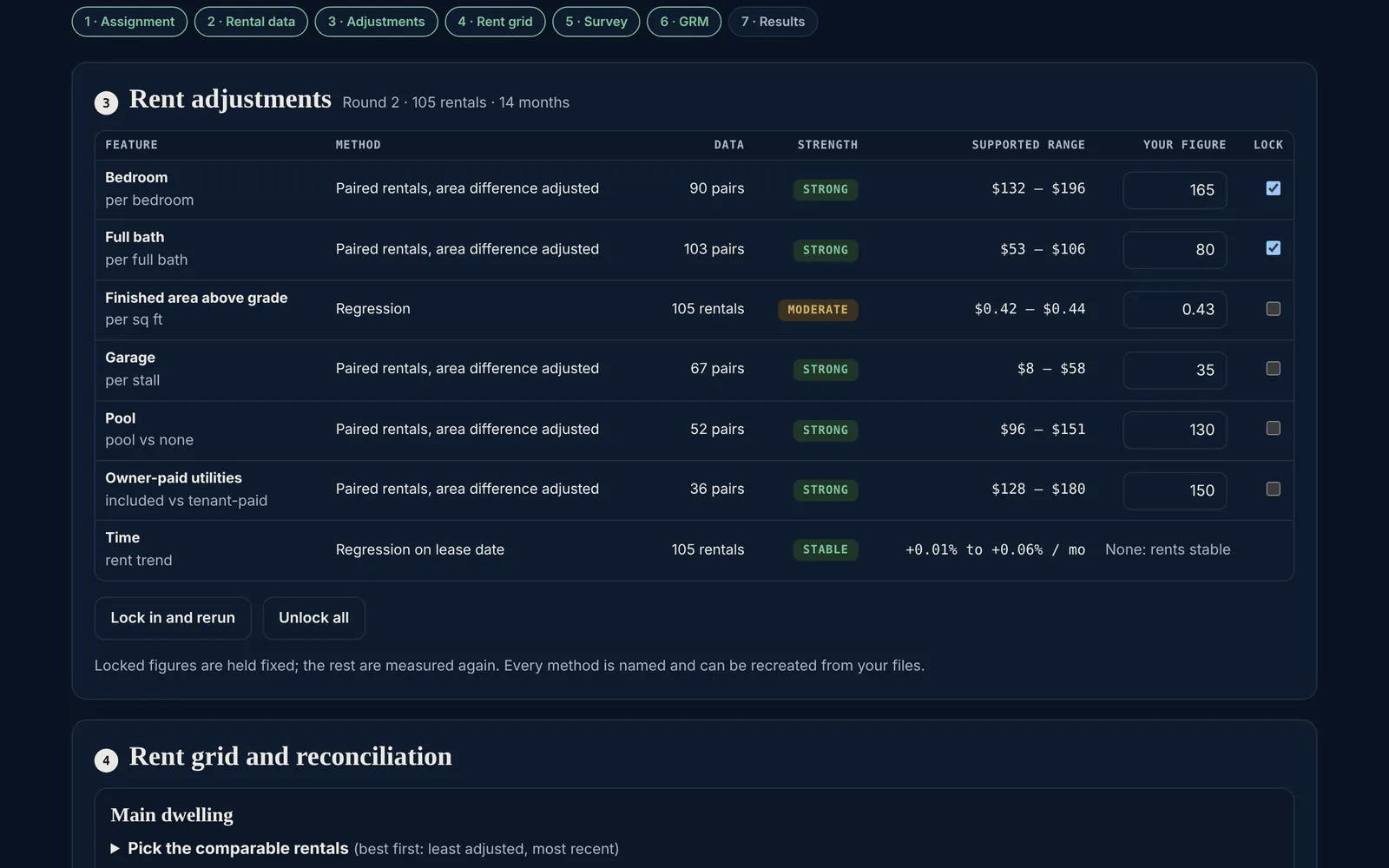
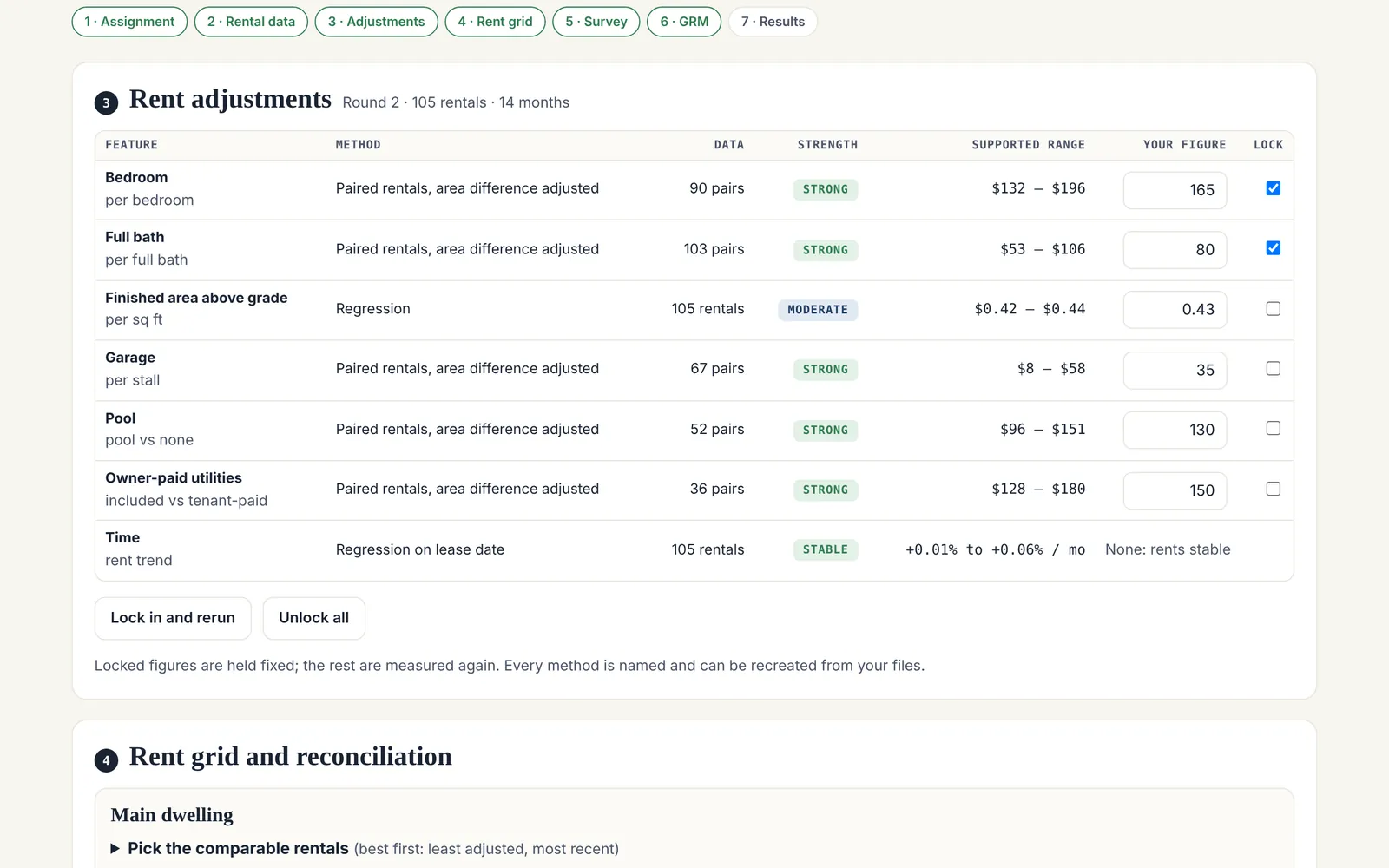
Bedrooms, baths, finished area, garage, pool and owner-paid utilities, each with its method, the data behind it, its strength and the supported range. Lock what you're sure of and rerun; the rest are measured again.
- Paired rentals leased within 6 months and within 8% in size
- Regression with the lease date in the model
- Rents treated as stable inside ±0.25% a month
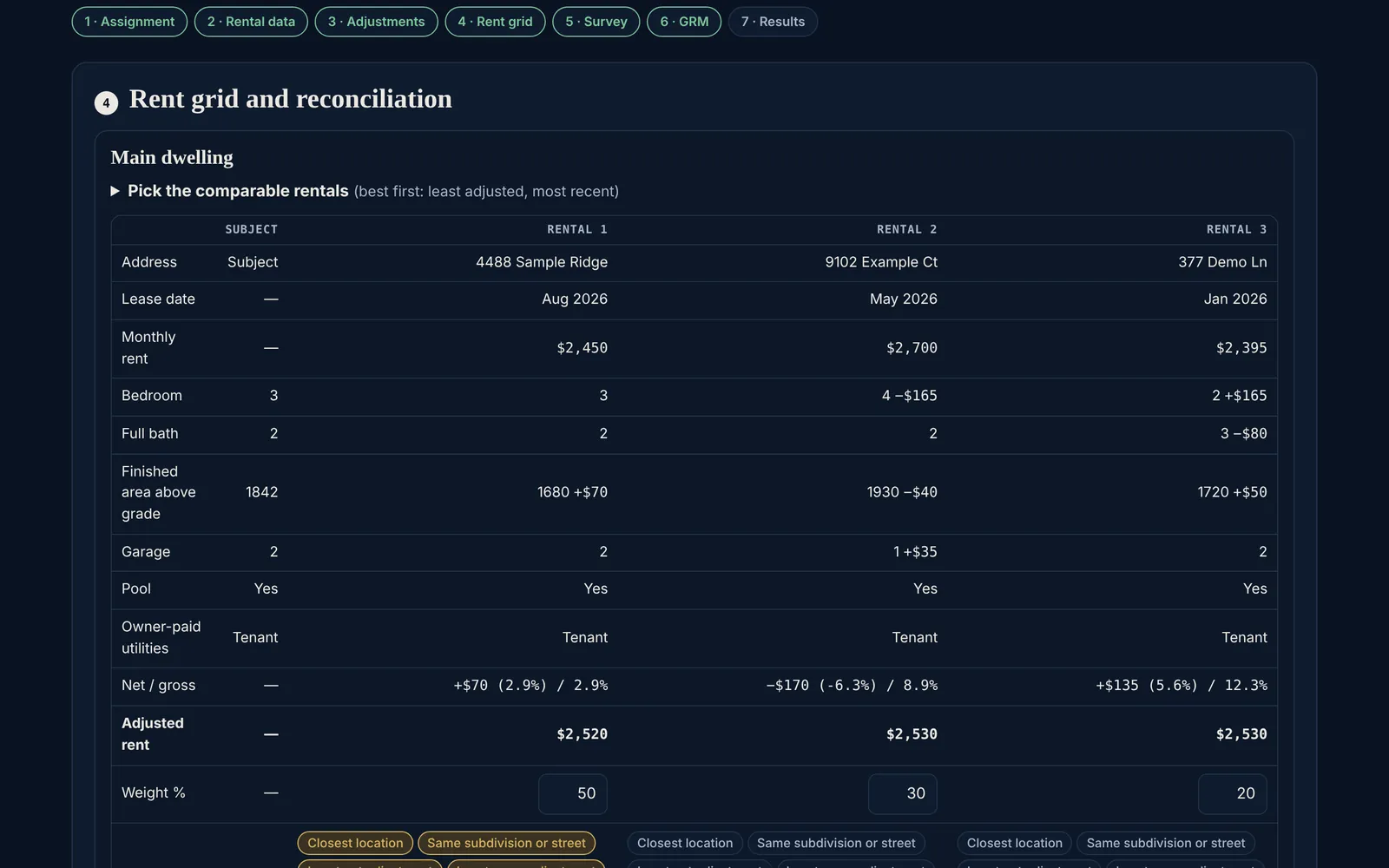
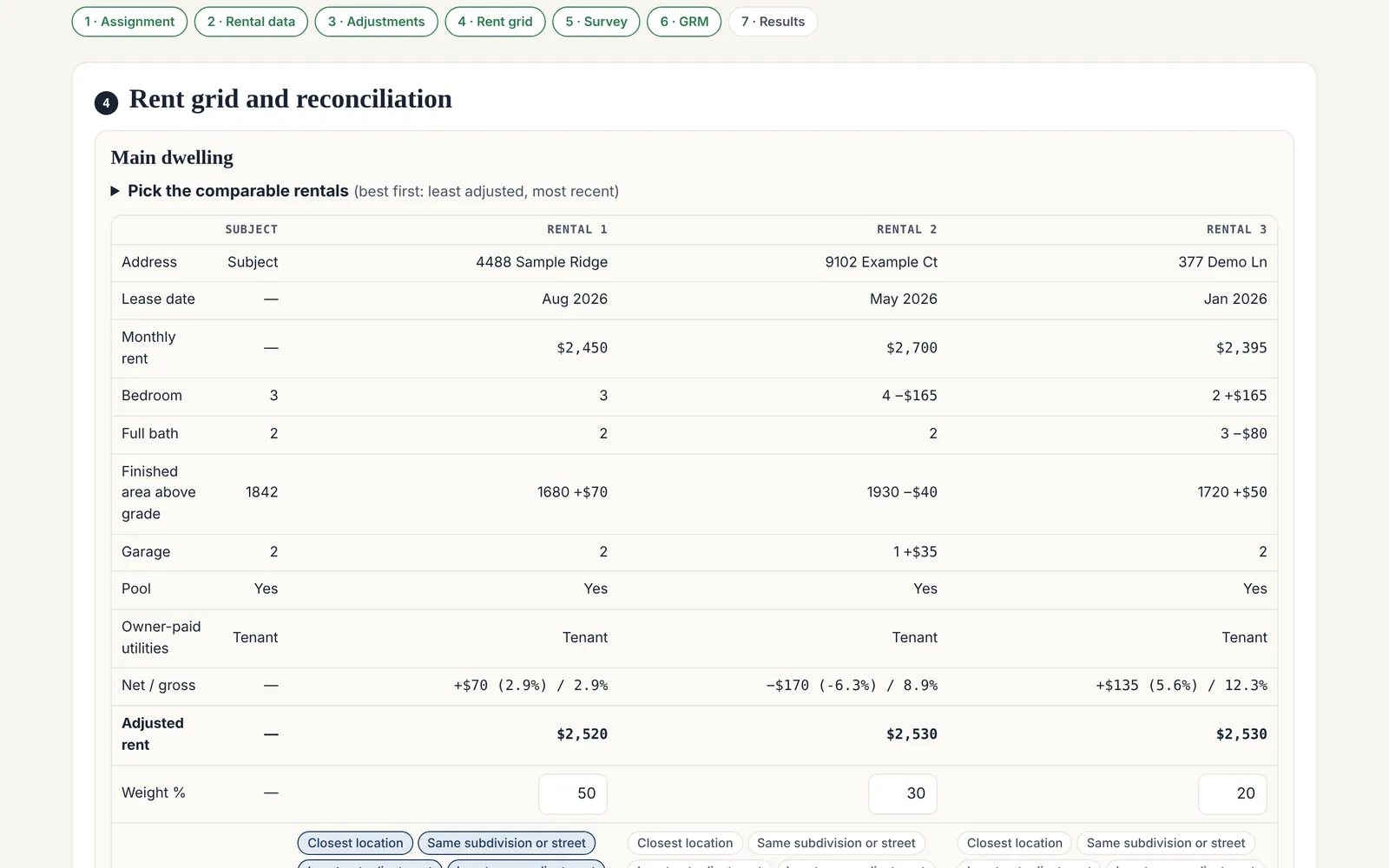
Weight the rentals, then check it
Pick at least 3 rentals per unit. Weights are suggested from the gross adjustment and you click the reasons that apply. An agent survey stress-tests the result, and for the income approach the GRM comes from sales and leases matched by address or parcel.
- Market rent rounded to the nearest $10
- Anonymous agents named only by company and role in the report
- Outliers and pairs more than 6 months apart flagged
Rental information and the income approach, supported.
It shows the data and the math. The rent and the GRM are yours.
Every adjustment, weight, selection and conclusion is yours. Osova never makes up a GRM: with fewer than 3 matched pairs it tells you to widen the search. The work file keeps real survey names and contacts even when the report withholds them.
Straight answers.
Rentals or Income approach: which do I choose?
Choose Rentals when the assignment needs market rent only (the UAD 3.6 Rental Information section or a 1007). Choose the Income approach on 2-4 units, when the engagement letter asks for it, or when the market is rental driven.
How does it find the GRM pairs?
Drop a sold export with the same search criteria as your leased export. Osova matches the same property by address, cleaning up Street and St, North and N and unit numbers, and by parcel number when both files have one, within a 12-month window you can change.
How many rentals do I need?
Six or more usable rentals to measure adjustments well, and at least 3 per unit in the grid. With fewer, widen the area or the months looked back.
Can an agent stay anonymous?
Yes. Check Anonymous and the report names only the company and role. Osova keeps the real name and contact, and the work file PDF prints them.
Does it use AI or a QC?
No. No AI is used on this page and it doesn't use a QC.
One subscription. Your whole desk.
Rentals and Income Approach is one of 16 tools in every Osova license.
Your next rent schedule, supported.
New plans and pricing arrive January 1. Request early access and we'll set you up. Your reports and work stay on your computer.