Your license, E&O, W-9 and CE in one private place.
Drop a license, E&O certificate, W-9, CE certificate or AMC approval and 
 reads the number and dates. You get a reminder before anything expires, license and E&O pages go into your reports, and an AMC panel packet builds in one click.
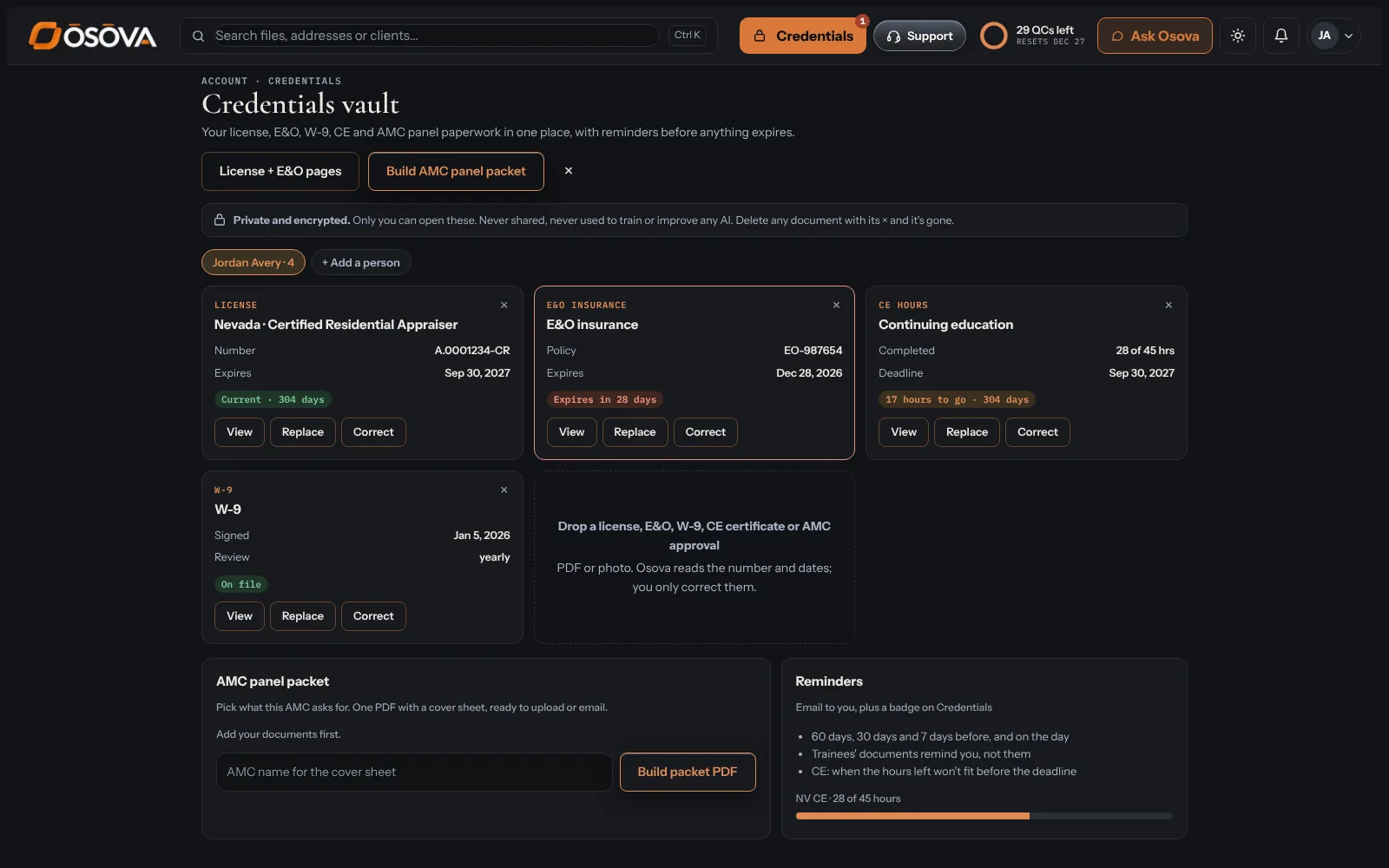
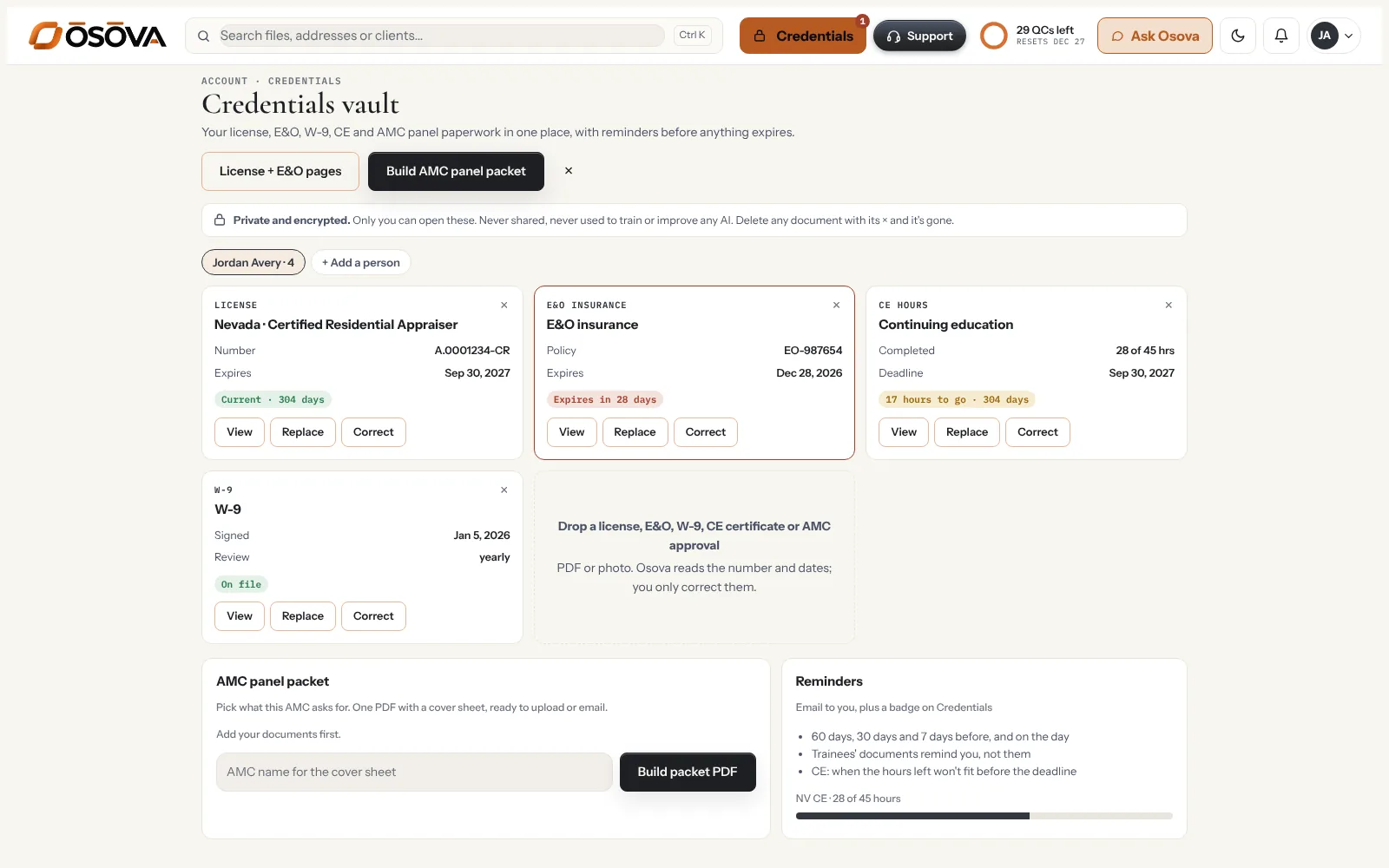 screens, shown with sample data.
The paperwork that stops the work.
An AMC asks for your E&O again, a license renewal sneaks up, and CE hours are tallied from a pile of certificates at the last minute.
Found out from the AMC
An expired E&O certificate pauses new orders until it's replaced.
The same packet, again
License, E&O, W-9 and resume gathered for every new AMC panel.
Counting hours at the deadline
Certificates in email and folders, added up the week they're due.
solves itDrop it once. keeps track.
Every credential lives in the vault, with its dates read for you.
Drop it, and the dates are read
Drop a license, E&O certificate, W-9, CE certificate or AMC approval, as a PDF or a photo. reads the number, state and dates; you only correct them. Each card shows how long until it expires, and CE shows hours completed against the hours required.
- License per state, with its number
- E&O policy and expiration
- CE hours and the deadline
Reminders, report pages and panel packets
You're emailed 60, 30 and 7 days before something expires and on the day, and the Credentials button shows a badge. License and E&O pages go into GP and 3.6 reports as addenda, and Build AMC panel packet makes one PDF with a cover sheet for the AMC you name.
- Badge on the Credentials button
- License and E&O addenda in reports
- Trainees' documents with the supervisor
Your credentials, handled.
Private by design.
Documents in the vault are encrypted and only you can open them. They're never shared, never used to train or improve any AI, and deleting a document removes it for good.
Straight answers.
Who can see my documents?
Only you. Documents are encrypted, private to your login, never shared and never used to train or improve any AI.
How are the dates read?
When you drop a document, reads the number, state and dates from it. You check them and correct anything that's off.
Can I keep a trainee's documents?
Yes. Add a person for each trainee or team member and keep their license and CE in the same vault.
What goes in the AMC panel packet?
The documents you pick, in one PDF with a cover sheet naming the AMC, ready to upload or email.
Never find out from an AMC again.
New plans and pricing arrive January 1. Request early access and we'll set you up. Your reports and work stay on your computer.