Your analysis, carried into the report. Nothing retyped.
You do the work once, in 
 's engines: subject and inspection, sales comparison, market conditions, site, cost, income and your commentary. The Report Writer carries every figure and every word you approved into the report, in the right box, with QC checking as you go. AI does not write your appraisal.
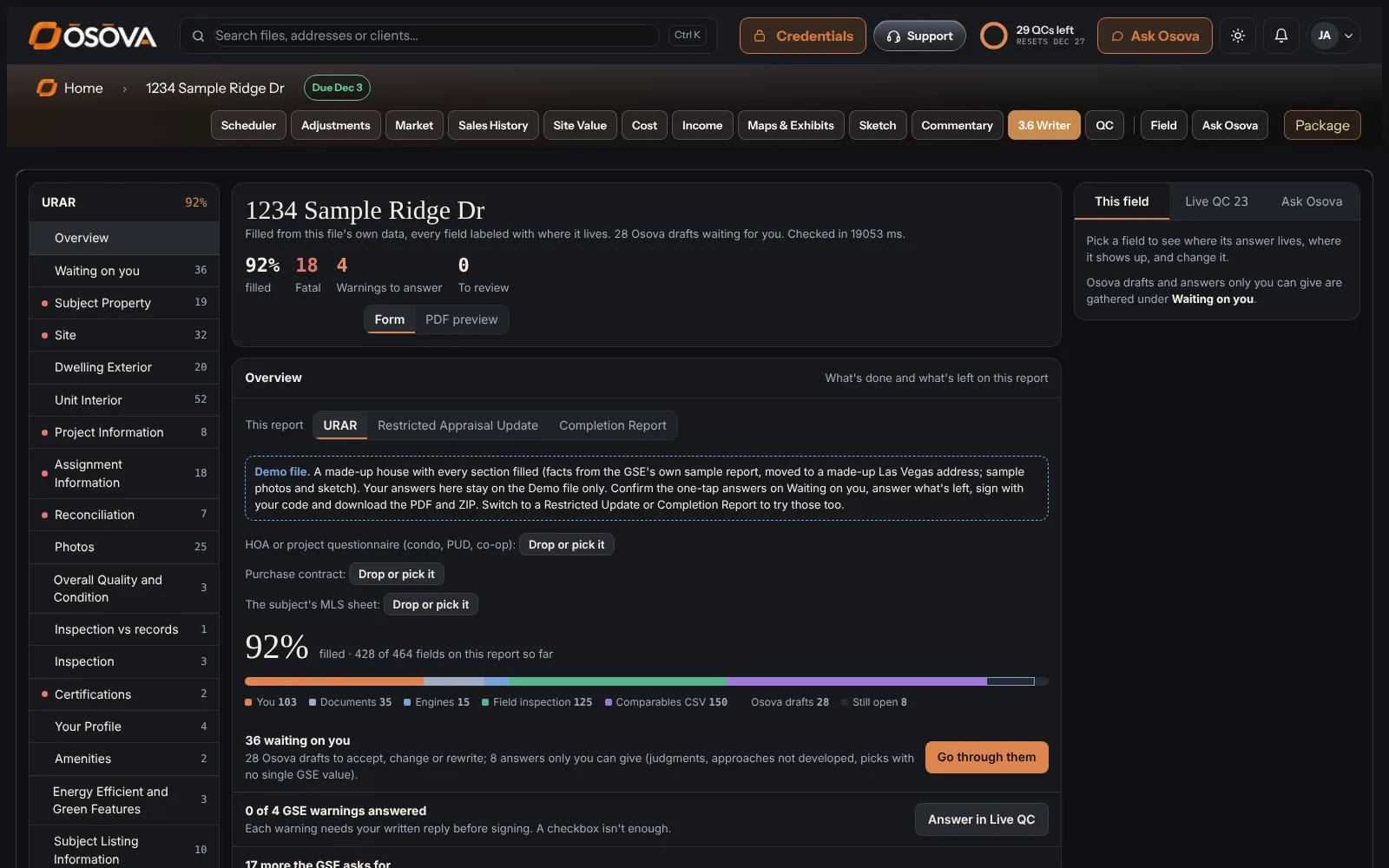
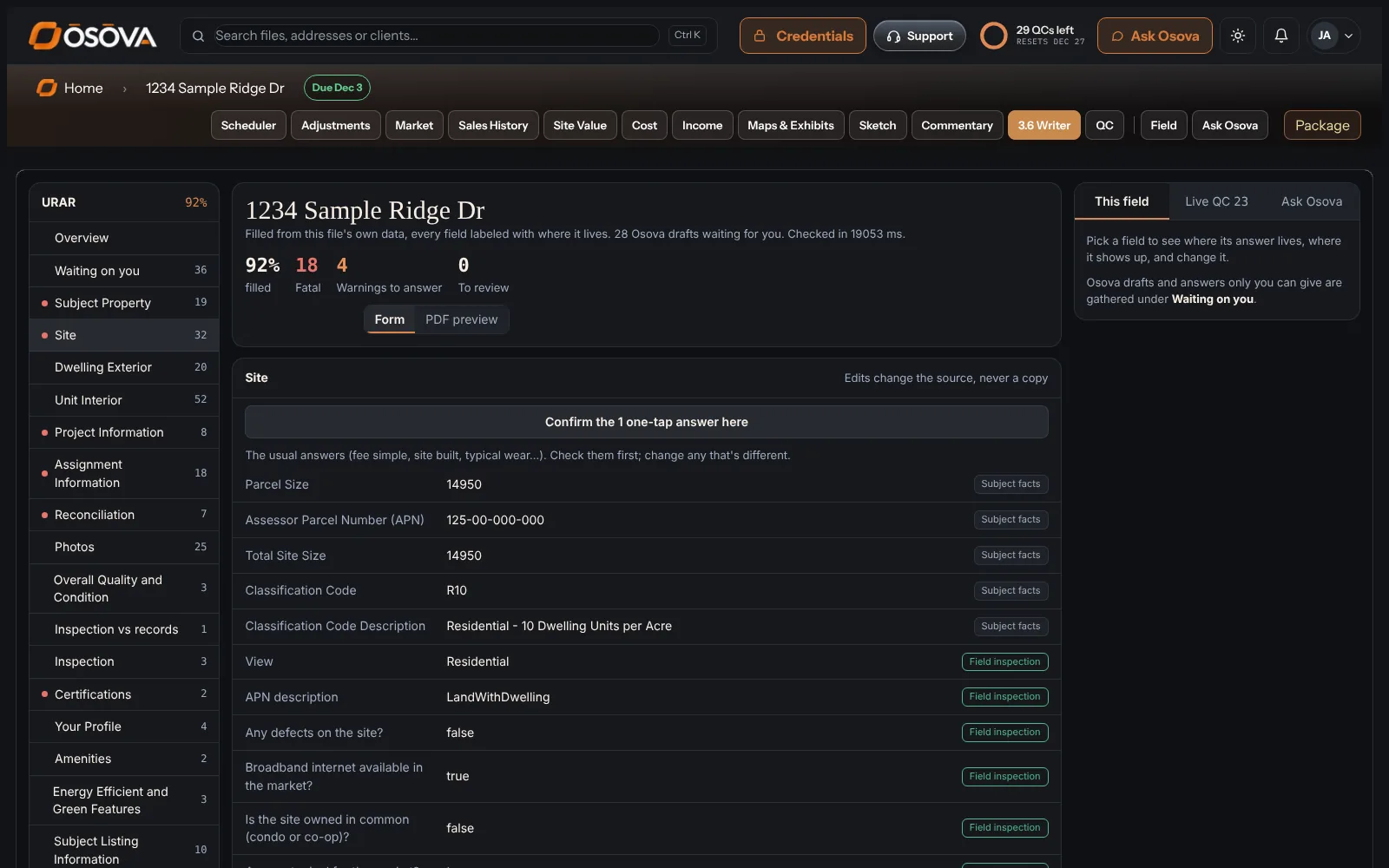
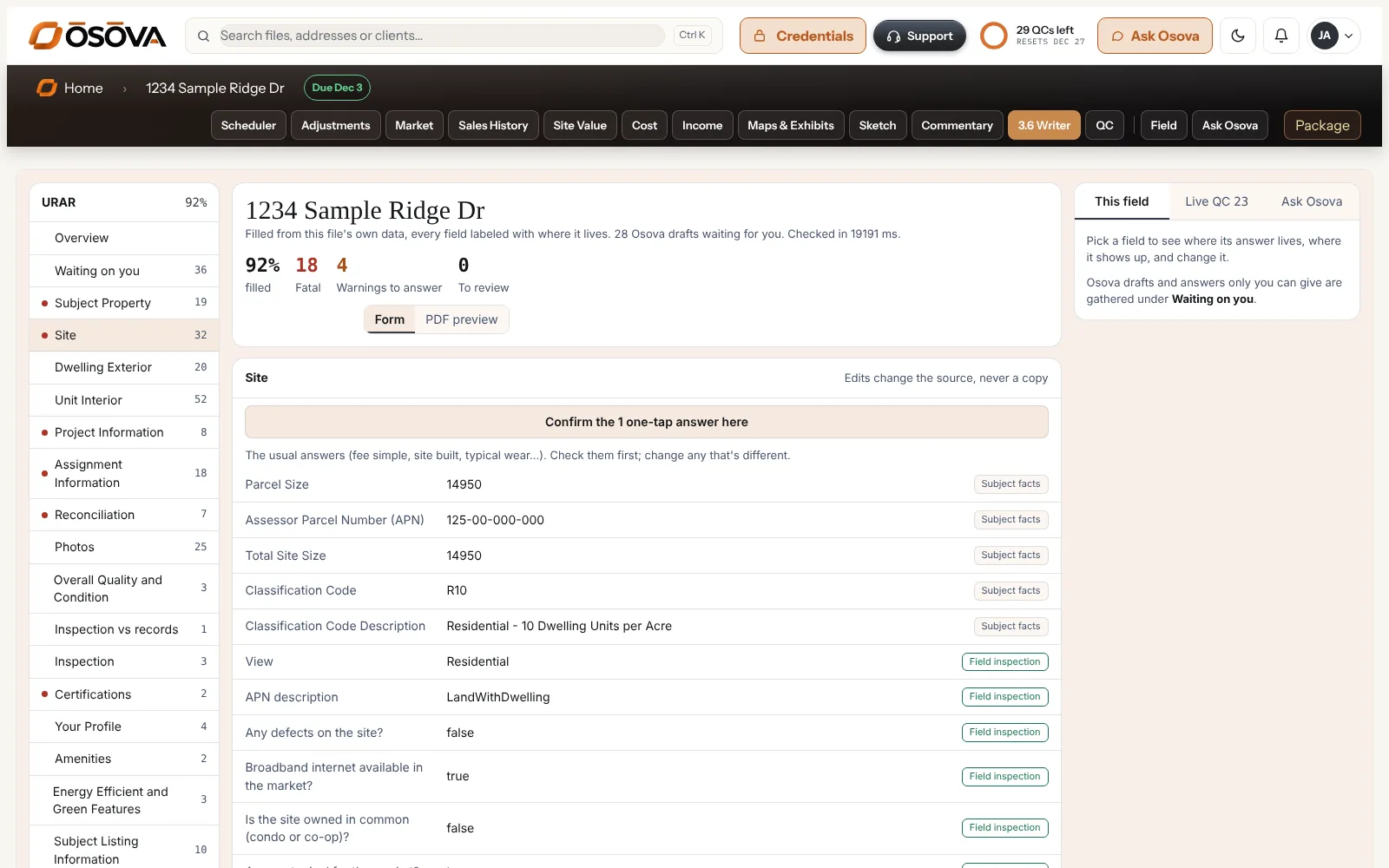
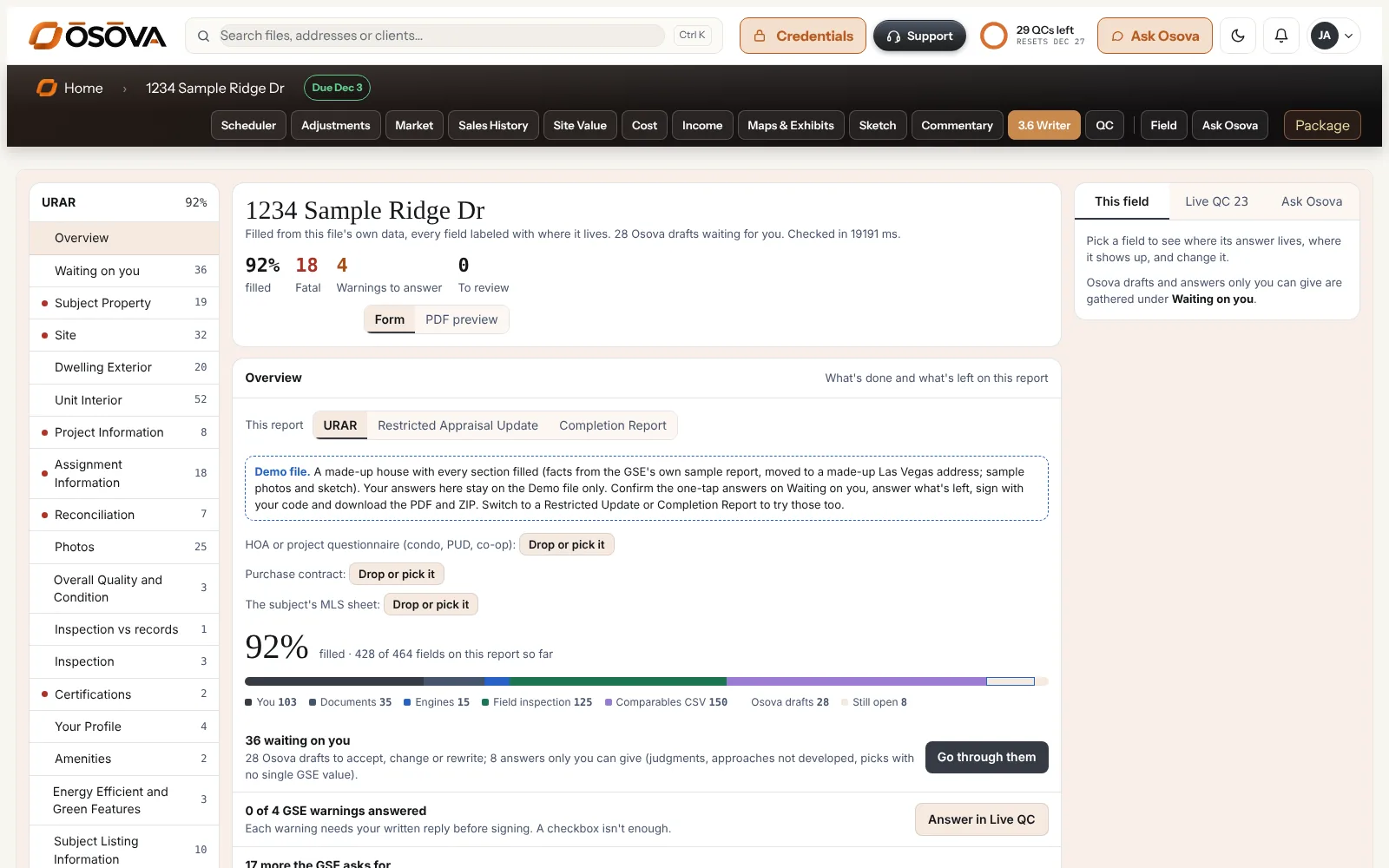 screens, shown with sample data.
The analysis is done. Then it all gets typed again.
The adjustments, the market study, the site value and the commentary are finished in one place, and then re-keyed, pasted and checked one box at a time into the report software.
The same number, five places
GLA on the form, the grid, the cost approach, the sketch and the addendum, each typed by hand.
One box missed
Change a figure late and one page still shows the old one. That's the revision request.
An evening per report
Copying finished analysis into forms is hours of work that adds nothing to the opinion of value.
solves itYou develop it. The Report Writer carries it.
Every box in the report has one home in : the subject page, an engine, the inspection, your profile or your commentary. The Report Writer reads it from there.
You do the analysis, in 's engines
Adjustment Analysis, Market Conditions, Site Value, Cost, Rentals and Income, Sales History and Ready Commentary are where you develop and approve your work. You choose every comparable, every rate and every conclusion. Nothing in the report is invented for you.
- Only the adjustment rates you chose are applied
- Commentary prints only after you accept, edit or write it
- A factual AO-41 statement of how the software was used
Every figure lands in the right box, labeled with its source
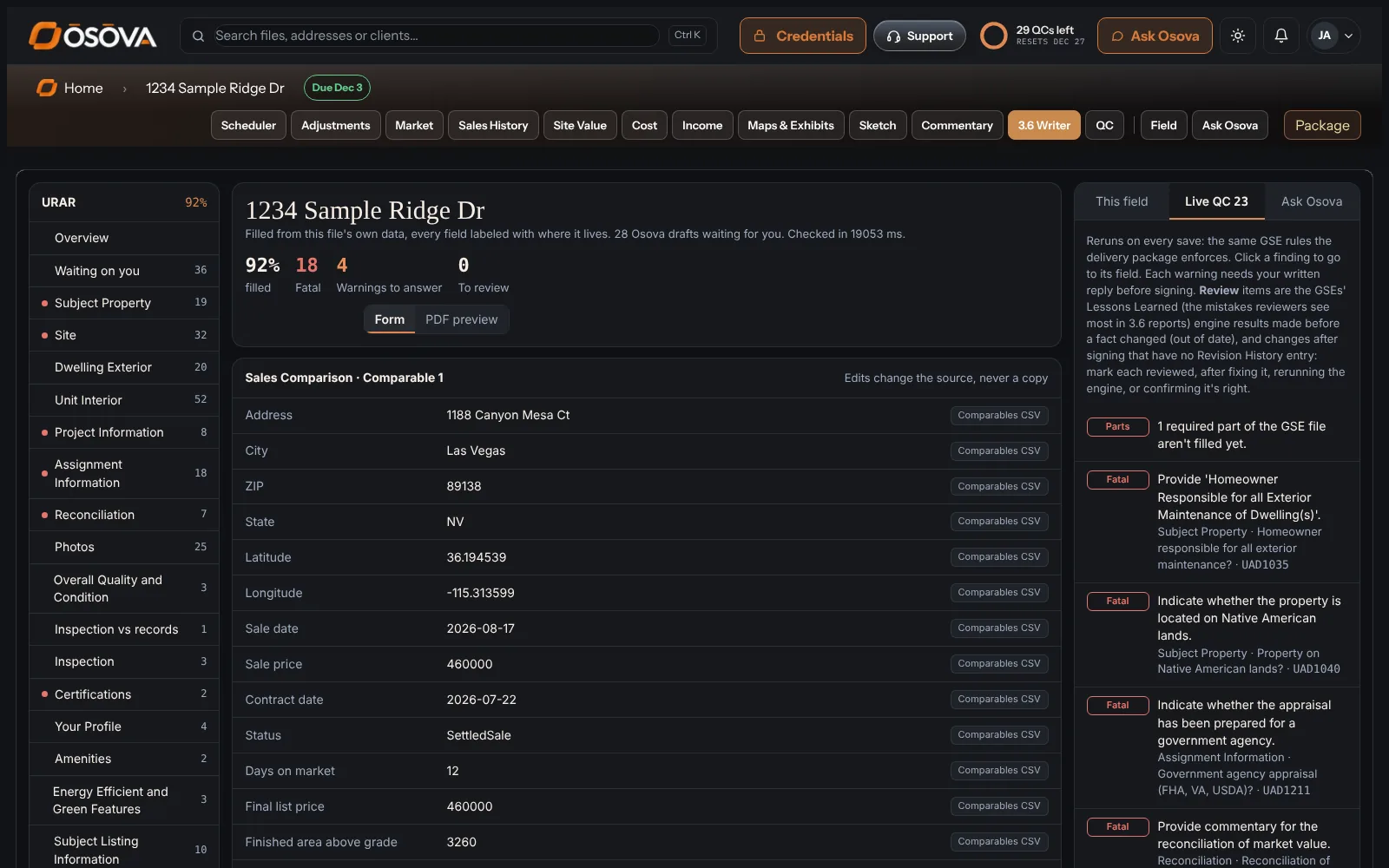
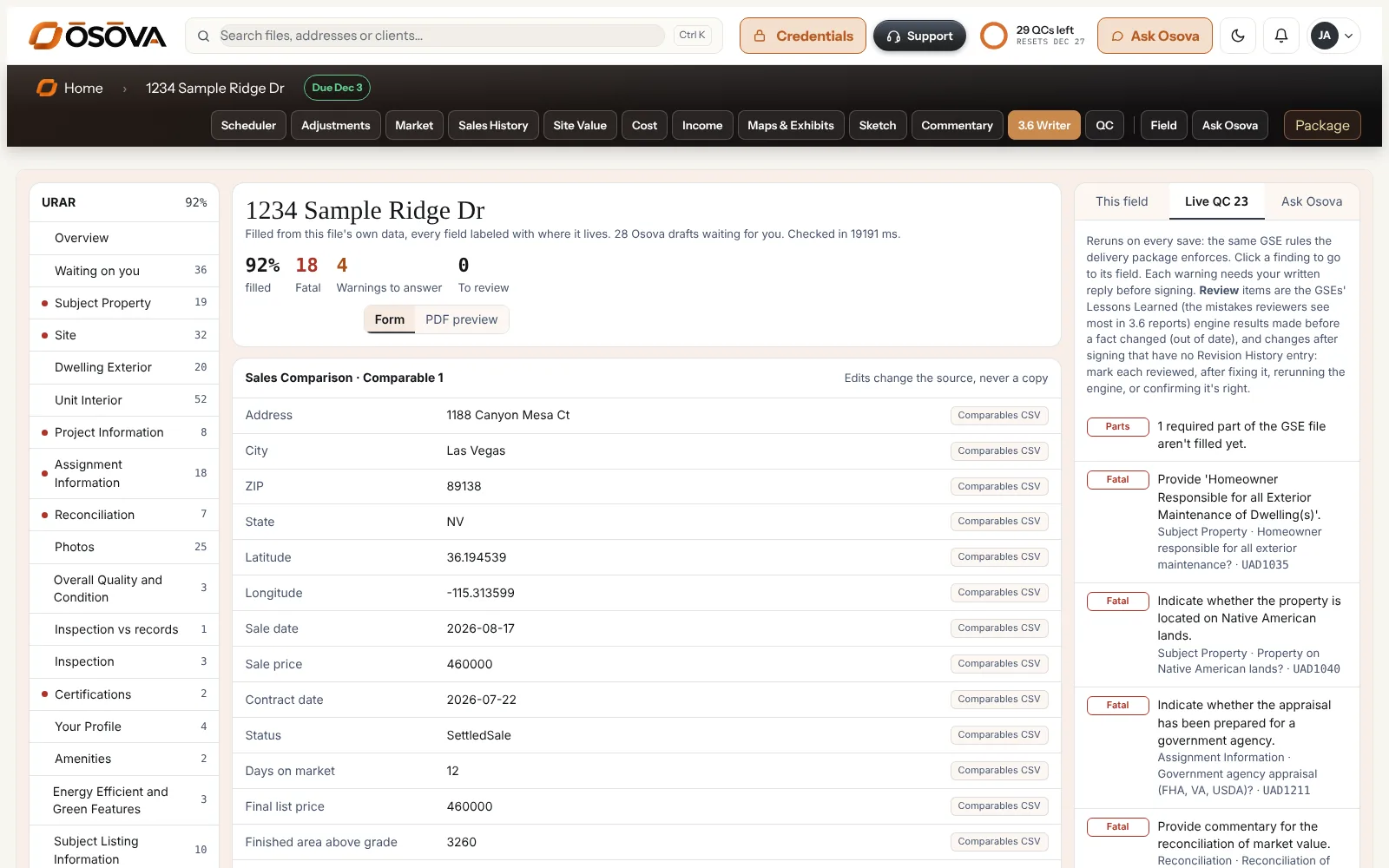
The Report Writer fills each section from that one home and shows where every answer came from: a document, an engine, the field inspection or you. Change it in one place and it changes on every page it prints. Click a box to edit it right there, or jump to its source.
- Subject facts, site, improvements and rooms
- The sales grid from your comparables and your rates
- Photos, sketch, maps and exhibits placed for you
QC as you go
QC runs while the report is built, not after. Every save reruns the checks, enforcing One Source, One System: the same fact shows the same value on every page, required fields are flagged where they belong, and every warning gets your written reply before you can sign. Discrepancies are caught before the reviewer sees them, and revisions go down.
- Same fact, same value on every page
- Missing required fields listed at their place
- Signing waits until every check passes
Preview, sign and deliver
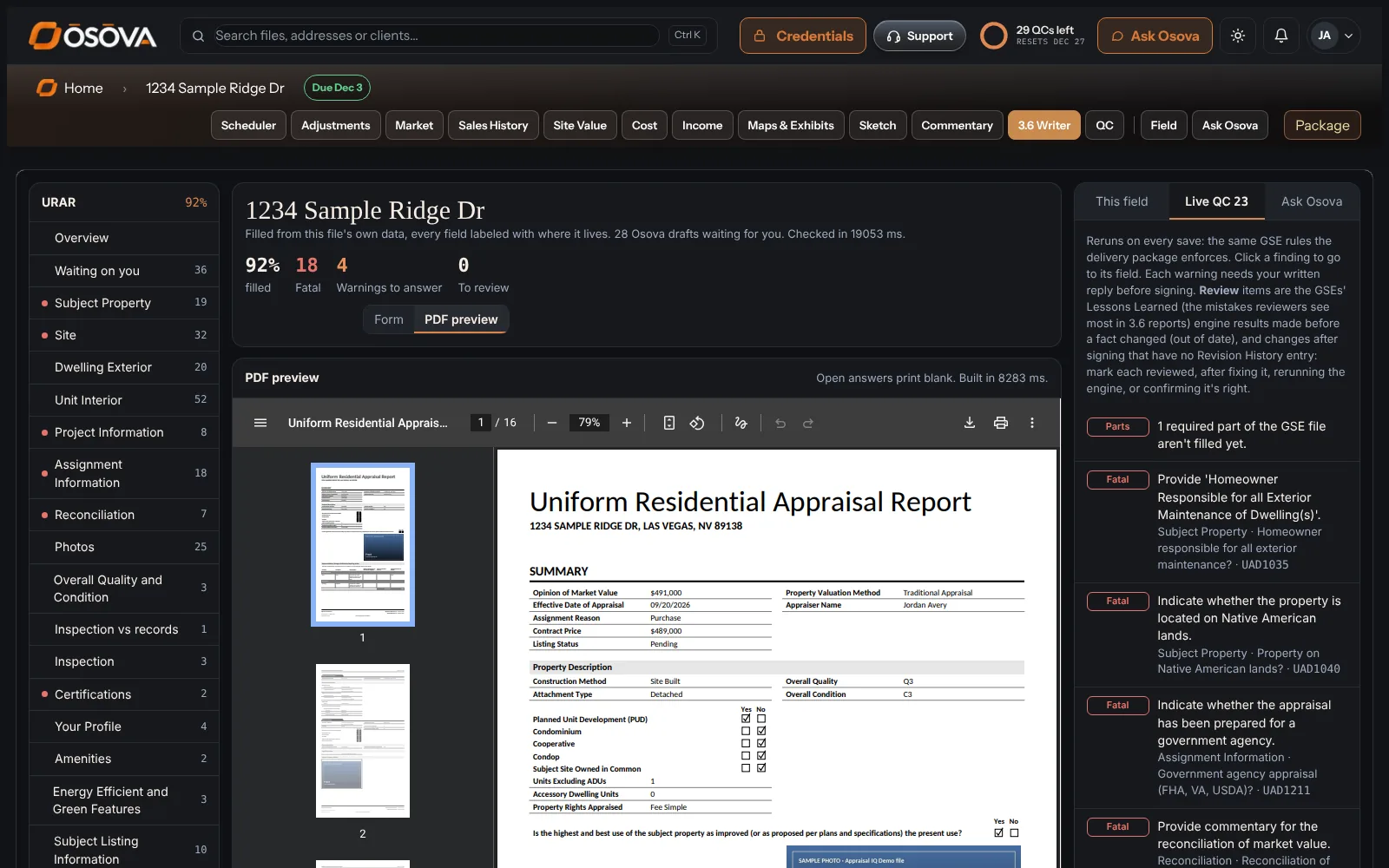
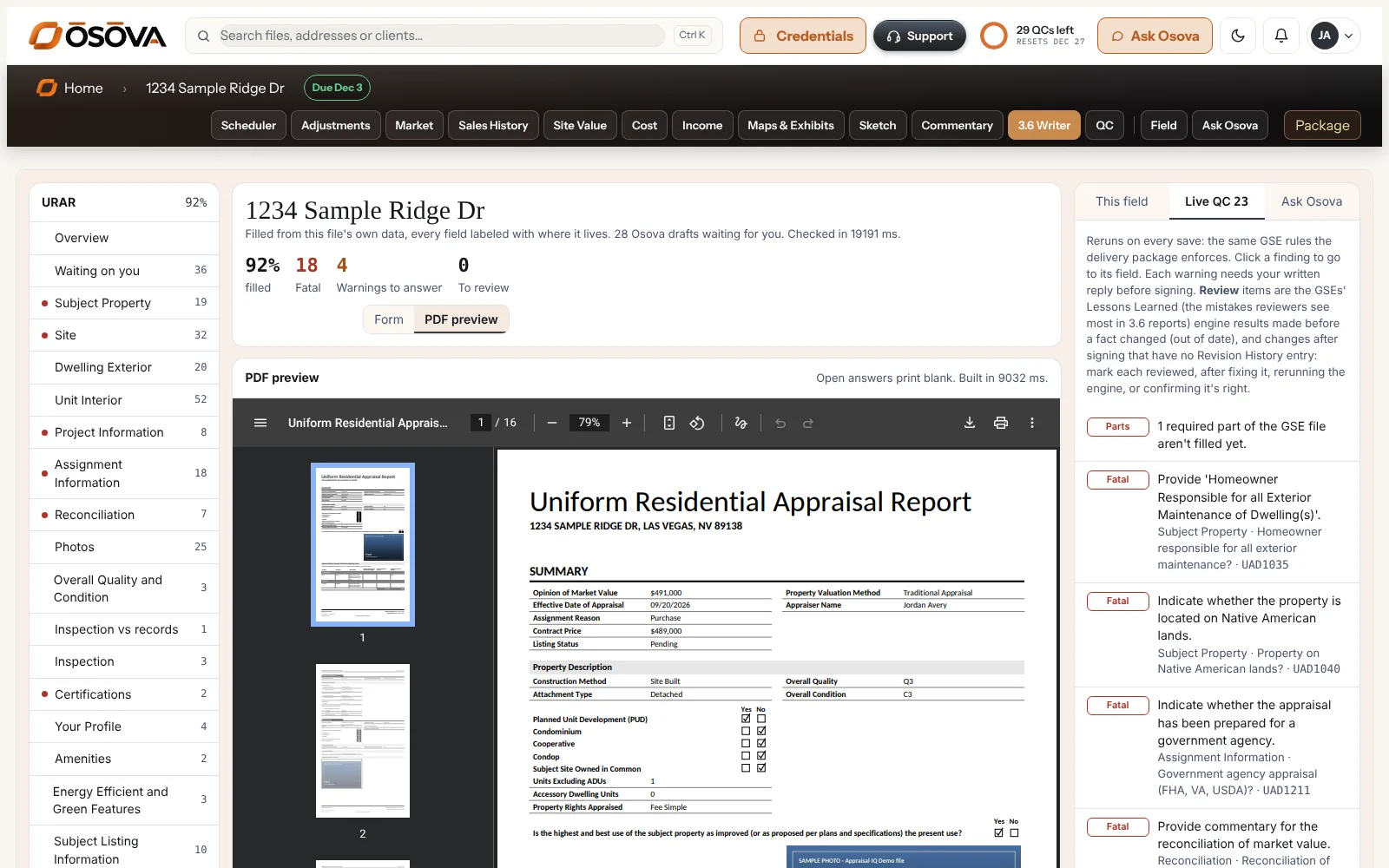
See the report exactly as it will print, built from the same data. When the checks pass, sign with your code; trainee reports get the supervisor's signature step. The PDF and delivery files are built for you.
- PDF preview from the same data
- Revision history and a signature lock
- GP reports today; UAD 3.6 with GSE verification under way; UAD 2.6 next
From finished analysis to a signed report.
AI is not writing your appraisal. You are.
Every analysis, adjustment, rating, comment and conclusion is developed and approved by you in 's engines. The Report Writer only moves your work into the report and checks it for consistency. It never selects comparables, sets adjustments or forms an opinion of value.
Straight answers.
Does AI write the appraisal report?
No. You develop all of the analysis and commentary in 's engines. The Report Writer carries what you approved into the report so you don't retype, copy or paste it. It never selects comparables, sets adjustments or forms an opinion of value.
How much time does it save?
Up to about two hours per report, from not retyping, copying and pasting the analysis and commentary you already finished, and from not hunting for mismatched figures afterwards.
What does QC as you go mean?
QC runs while the report is being built. Every save rechecks it, so a figure that doesn't match across pages or a required field that's missing is caught right away instead of in a revision request.
Which report forms does it write?
General purpose (GP) reports today. UAD 3.6 is built and going through GSE verification, and the legacy UAD 2.6 forms are next.
Can I edit the report directly?
Yes. Click any box to edit it in the report, or jump to its source and change it there. Either way it's saved in its one home, so every page that shows it stays the same.
Do the analysis once. Let the report fill itself.
New plans and pricing arrive January 1. Request early access and we'll set you up. Your reports and work stay on your computer.