The whole inspection on your phone, straight into the work file.
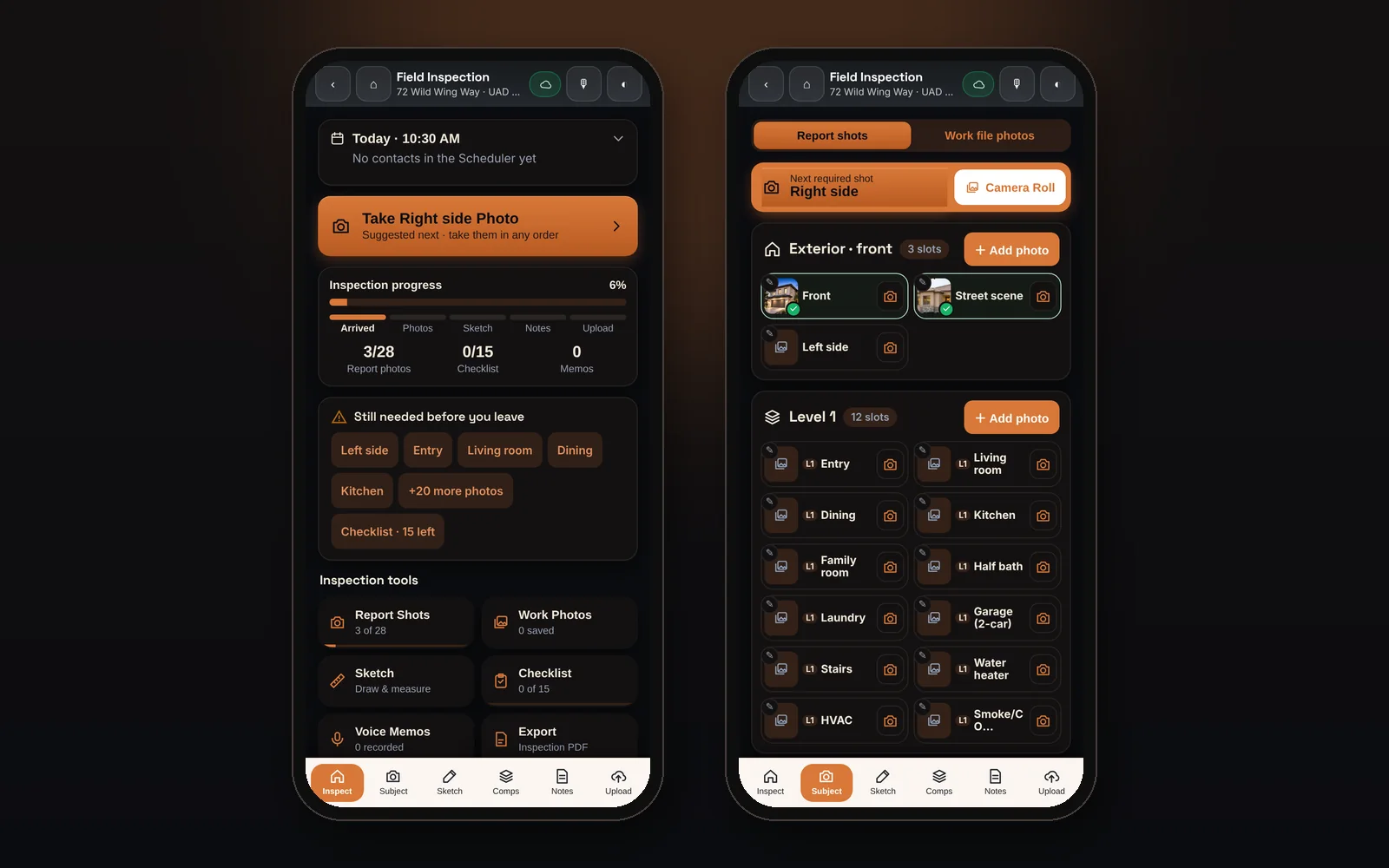
Photos in your walk-through order, a sketch you draw or say out loud, the UAD 3.6 questions in one tap, and every comparable in driving order. It all saves on the phone with or without signal, and one upload puts it in the work file, where the report writers pick it up.
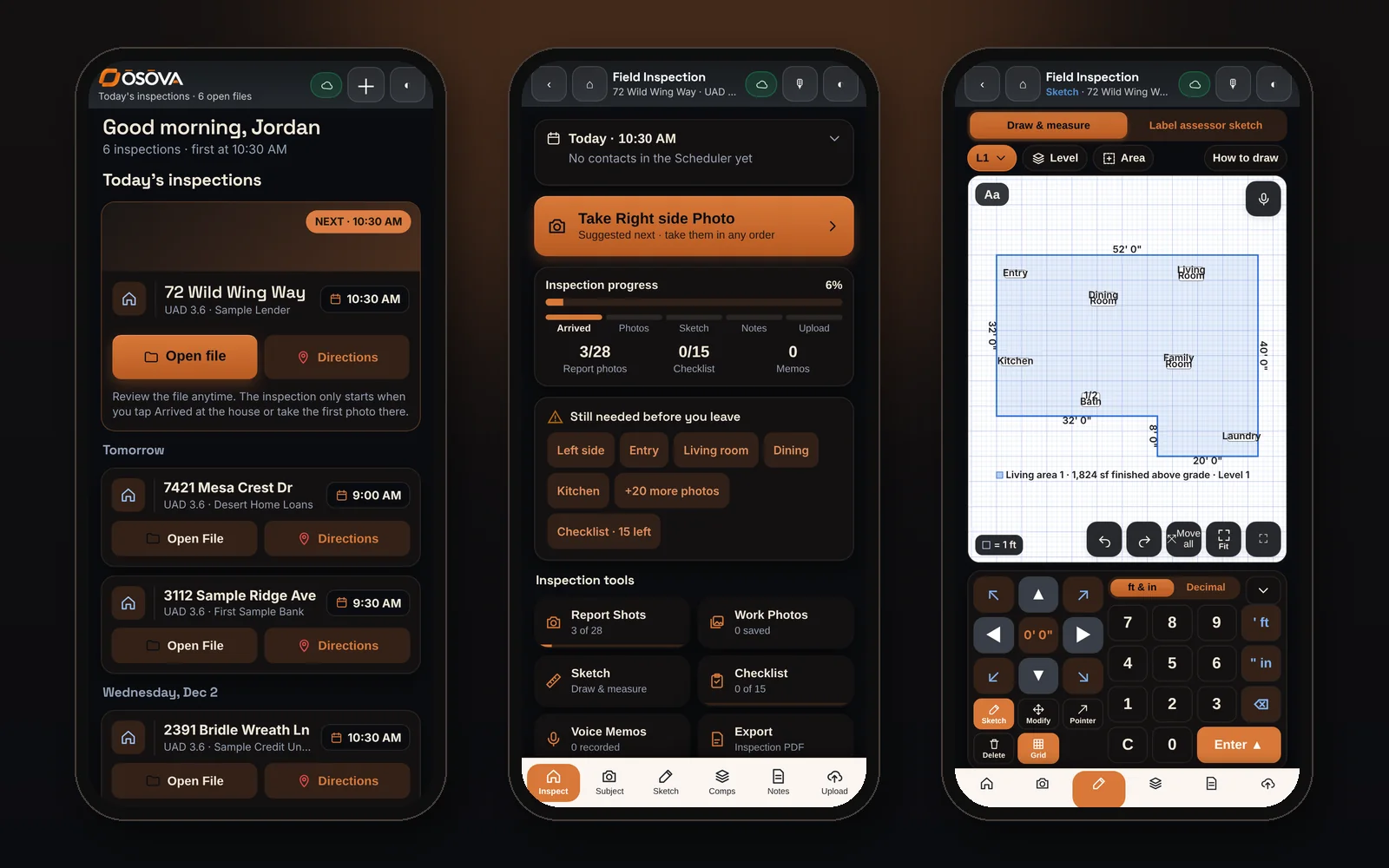
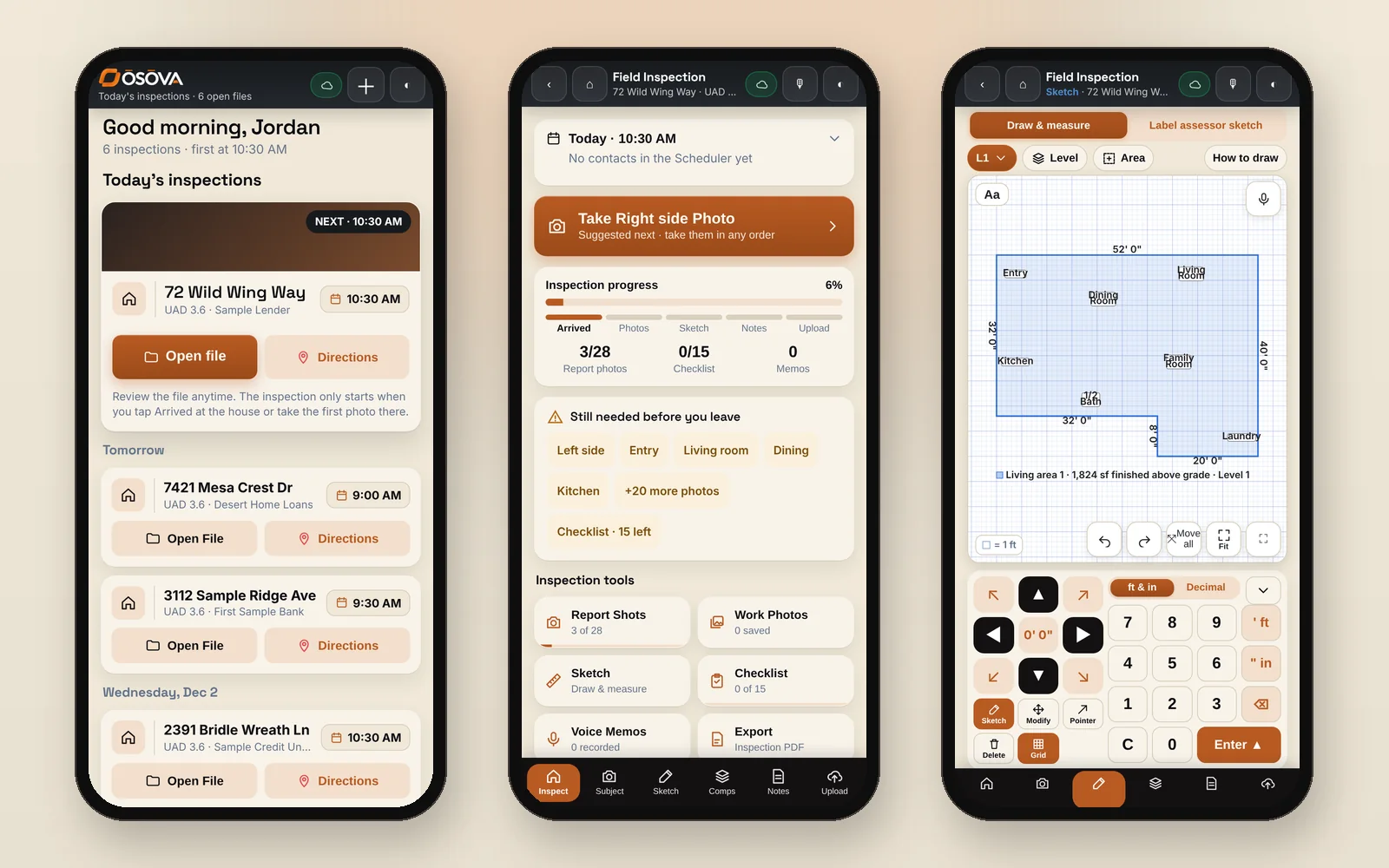

 screens, shown with sample data.
The inspection is the one part of the job still done on paper.
Clipboard sketch, a camera roll of unlabeled photos, a list of comps in no particular order, and an evening spent typing it all back into the report.
Measured twice, drawn three times
Tape on site, paper sketch in the truck, then redrawn in the software at the desk.
Sorting the camera roll
Forty photos to rename, rotate and match to the right room before the report can be built.
Zigzagging across town
Comparables driven in the order they sit in the grid, not the order the roads go.
solves itBuilt for the person standing in the yard.
Everything the inspection needs is on one bottom bar: Inspect, Subject, Sketch, Comps, Notes and Upload.
Today's inspections, ready before you leave
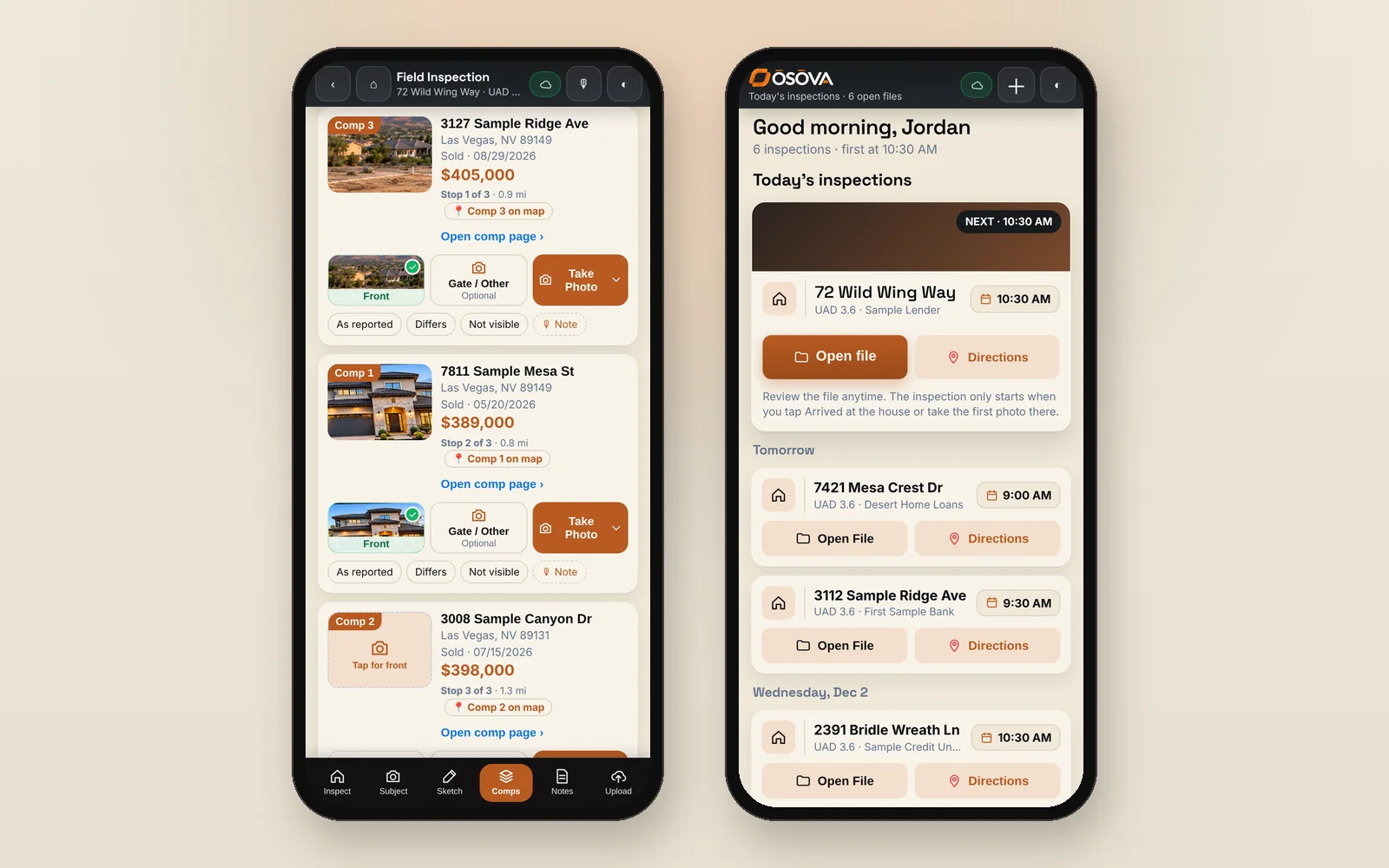
The phone opens to today's inspections in time order, each with Open file and Directions. Review the file before you go; the clock only starts when you arrive. The photo list builds itself from the house: stories, bedrooms, baths, garage, pool, ADU and outbuildings come from the tax record, MLS and engagement letter.
- Arrival and departure stamped from your first and last photo at the house
- Safety check-in shares your location with the office while you're inside
- Customize My Inspection: your own default photos and walk-through order
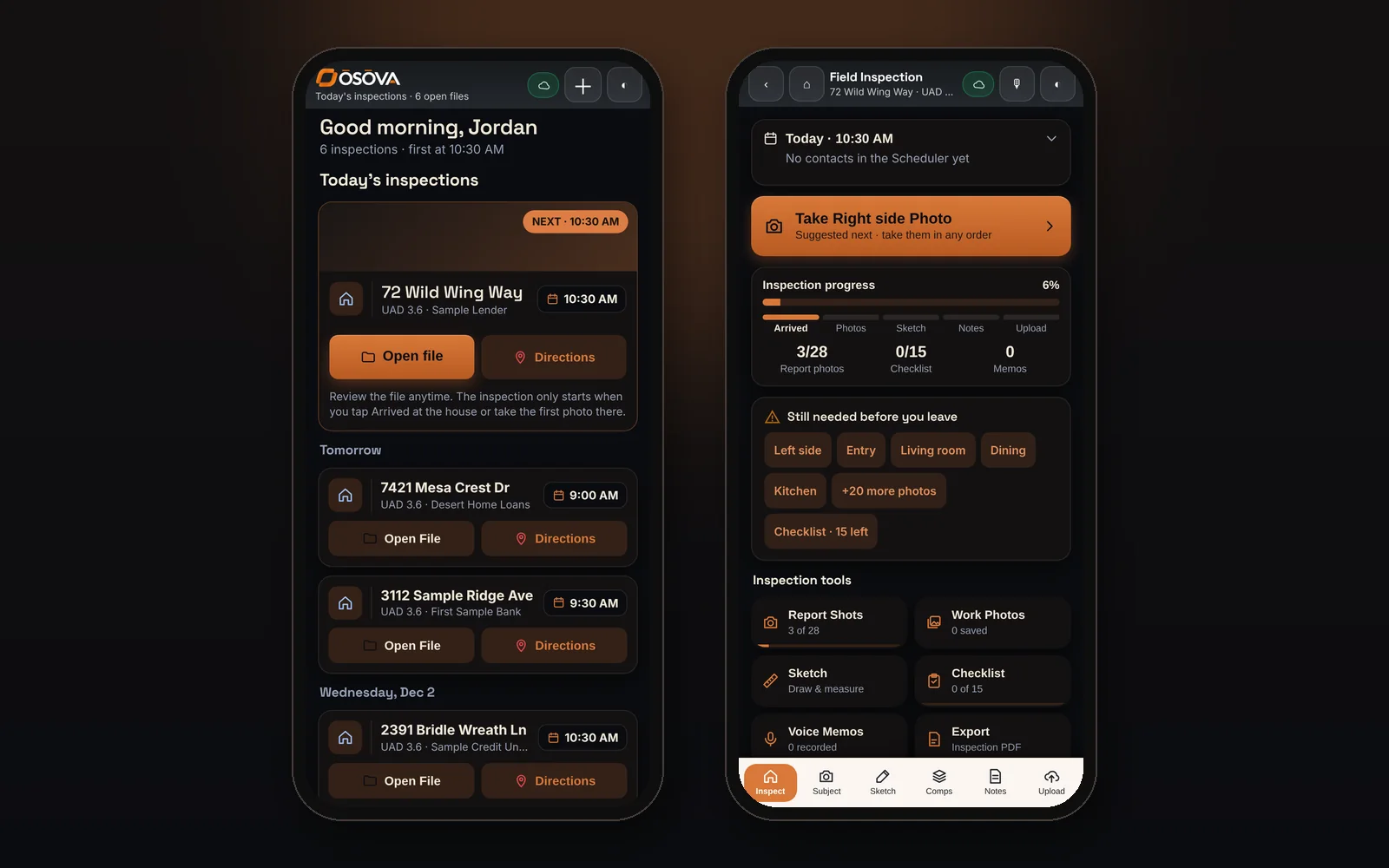
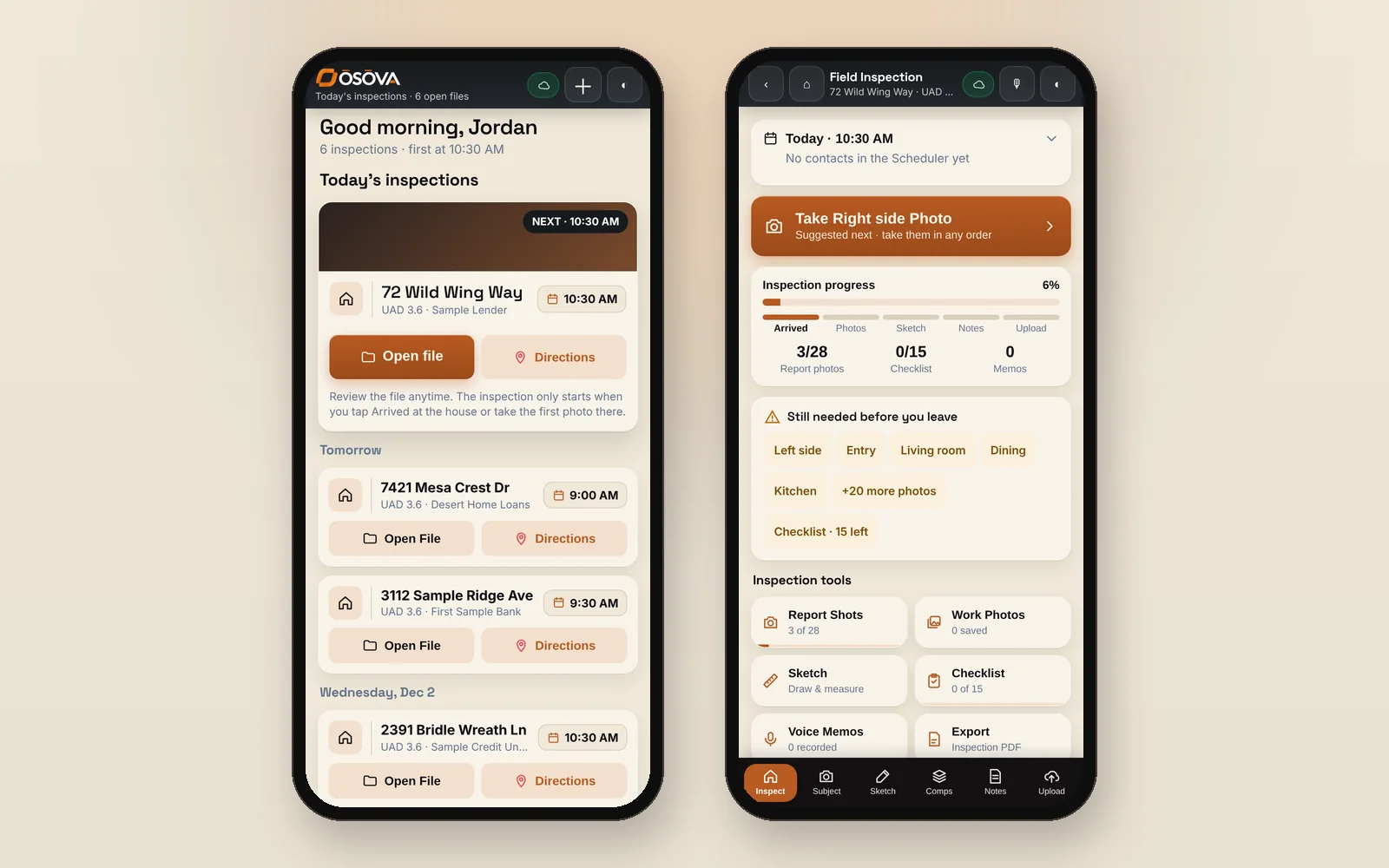
Photos in walk-through order, named for you
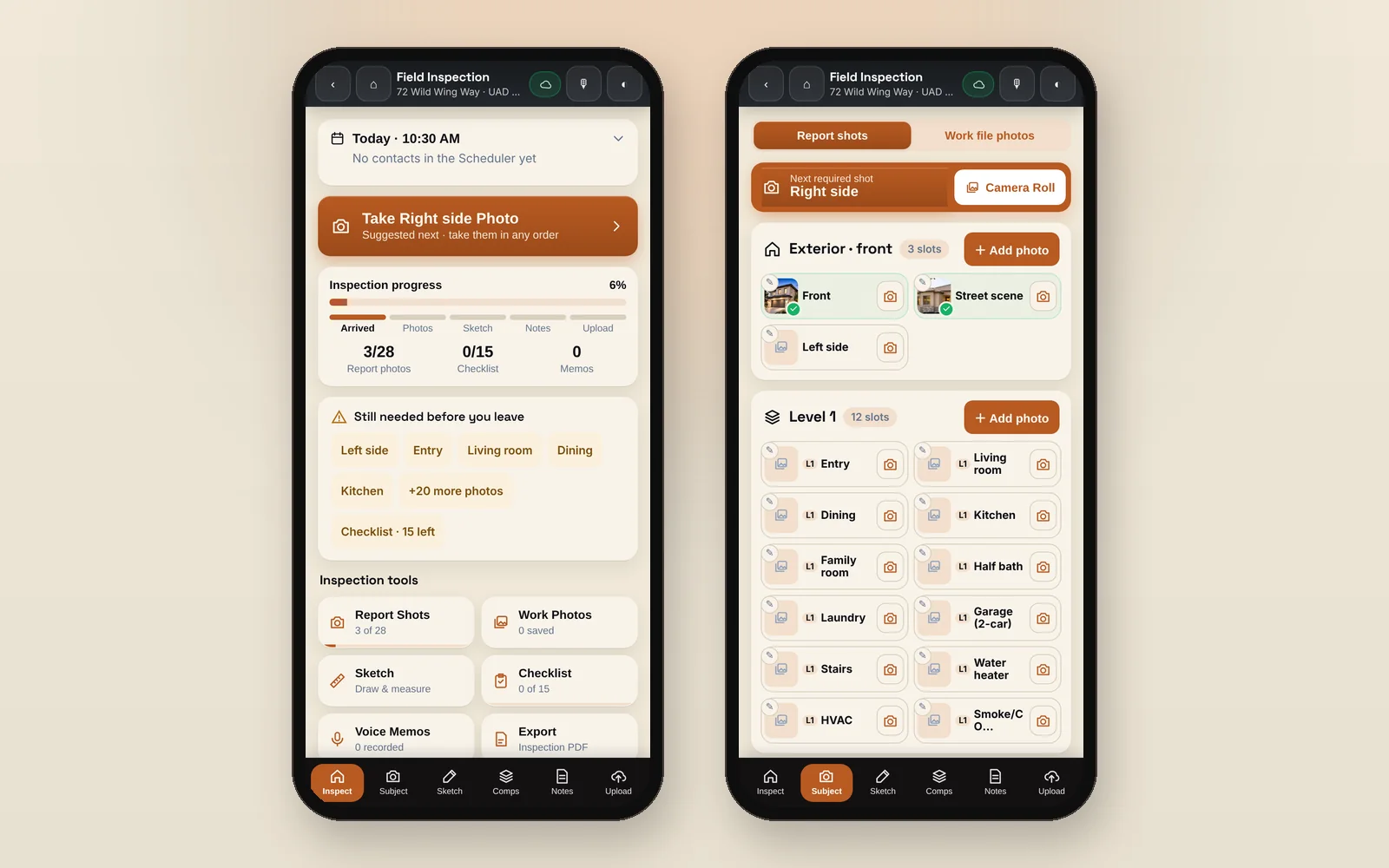
's own camera opens inside the app and moves to the next shot after each photo, so a security app doesn't ask for a PIN every time. Every photo lands in its box with its label and level, then goes into the report in the right place. Take them in any order; the list keeps up.
- Next shot, retake and any-order shooting
- FHA and VA required photos never drop off the list
- Repairs with photo, location, note and cost to cure
Sketch it, or just say it
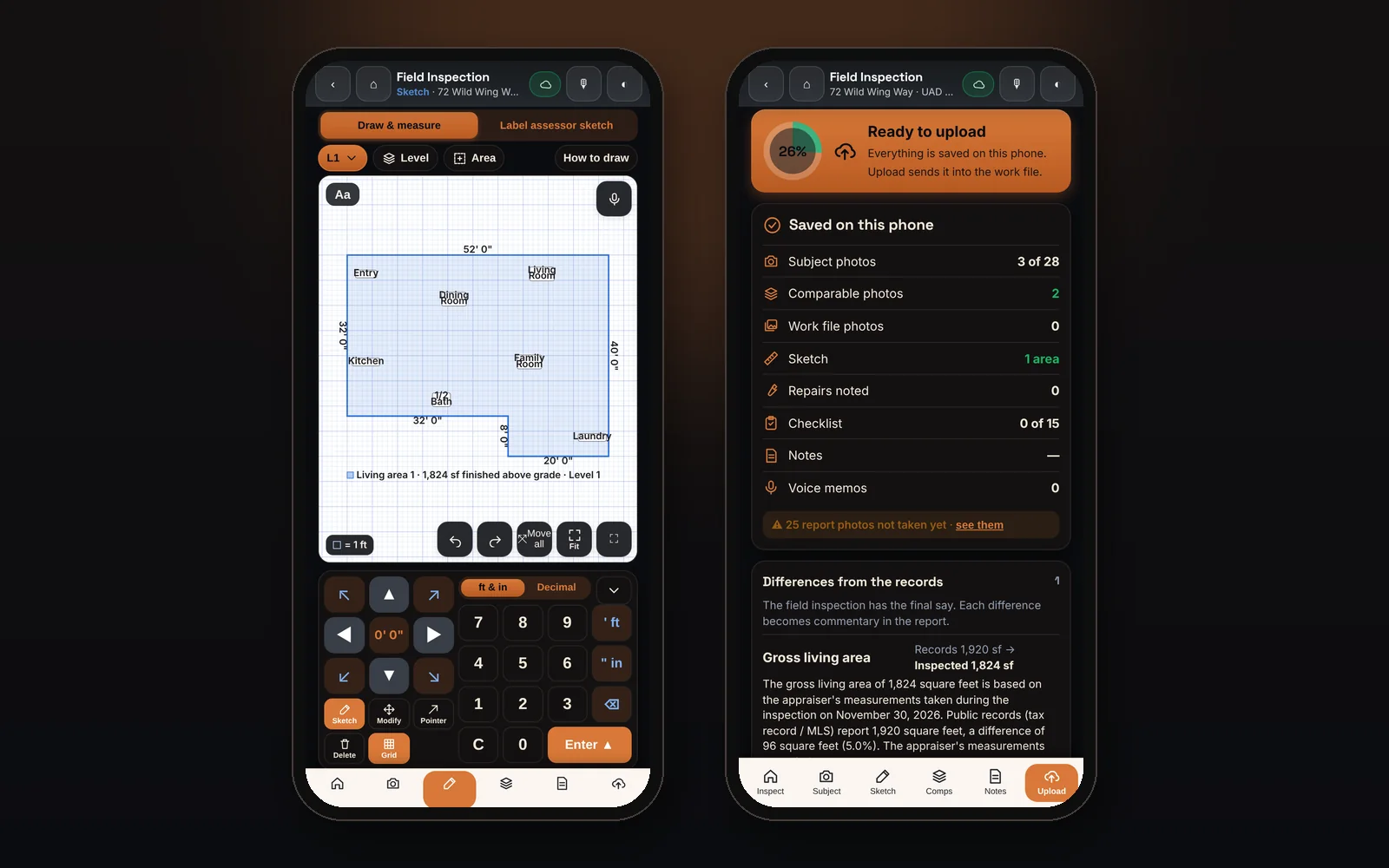
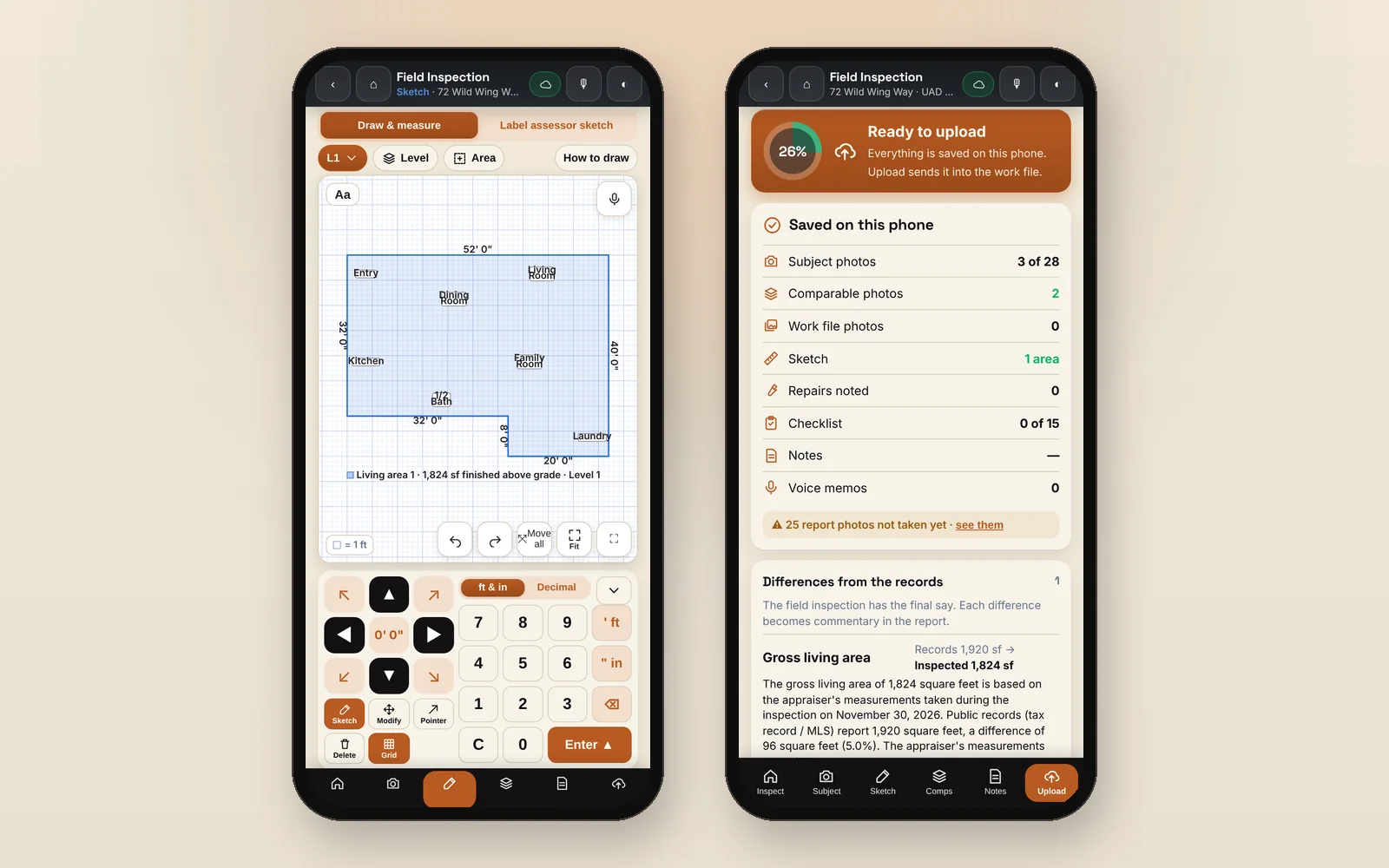
Type a wall in feet and inches on the keypad and tap the arrow, or press the mic and say it. Voice sketching draws walls, adds buildings (“add a 10 by 12 detached shed”), places pools and patios, and squares the corners. Room labels are suggested from your prep, and the area summary gives finished above-grade area by level.
- Voice measurements: “10 6 by 12” is 10 feet 6 inches by 12 feet
- Redraw an assessor sketch from a photo or PDF
- Legal-size sketch page and ANSI area summary
Comparables in driving order
The comparables go to the phone on their own. works out the best order on real roads and shows each stop's miles and minutes. Start Driving opens turn-by-turn directions with every comp in that order. Tap a pin to take its front photo; add a gate or other photo when the street view is blocked.
- Map with the subject and numbered comp pins
- Batch photos fill the fronts in route order
- Trip miles go to your mileage log automatically

UAD 3.6 answers and one upload
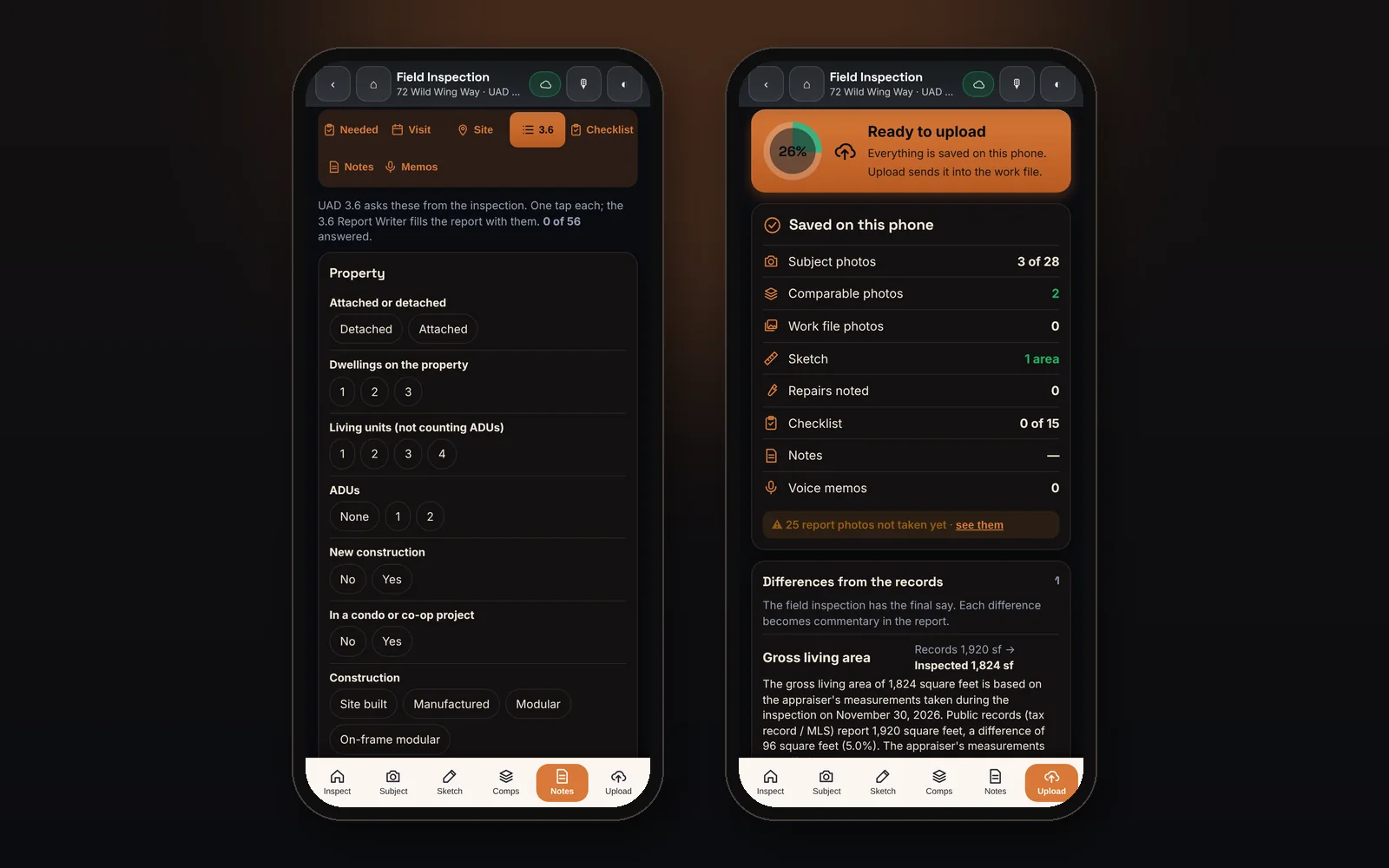
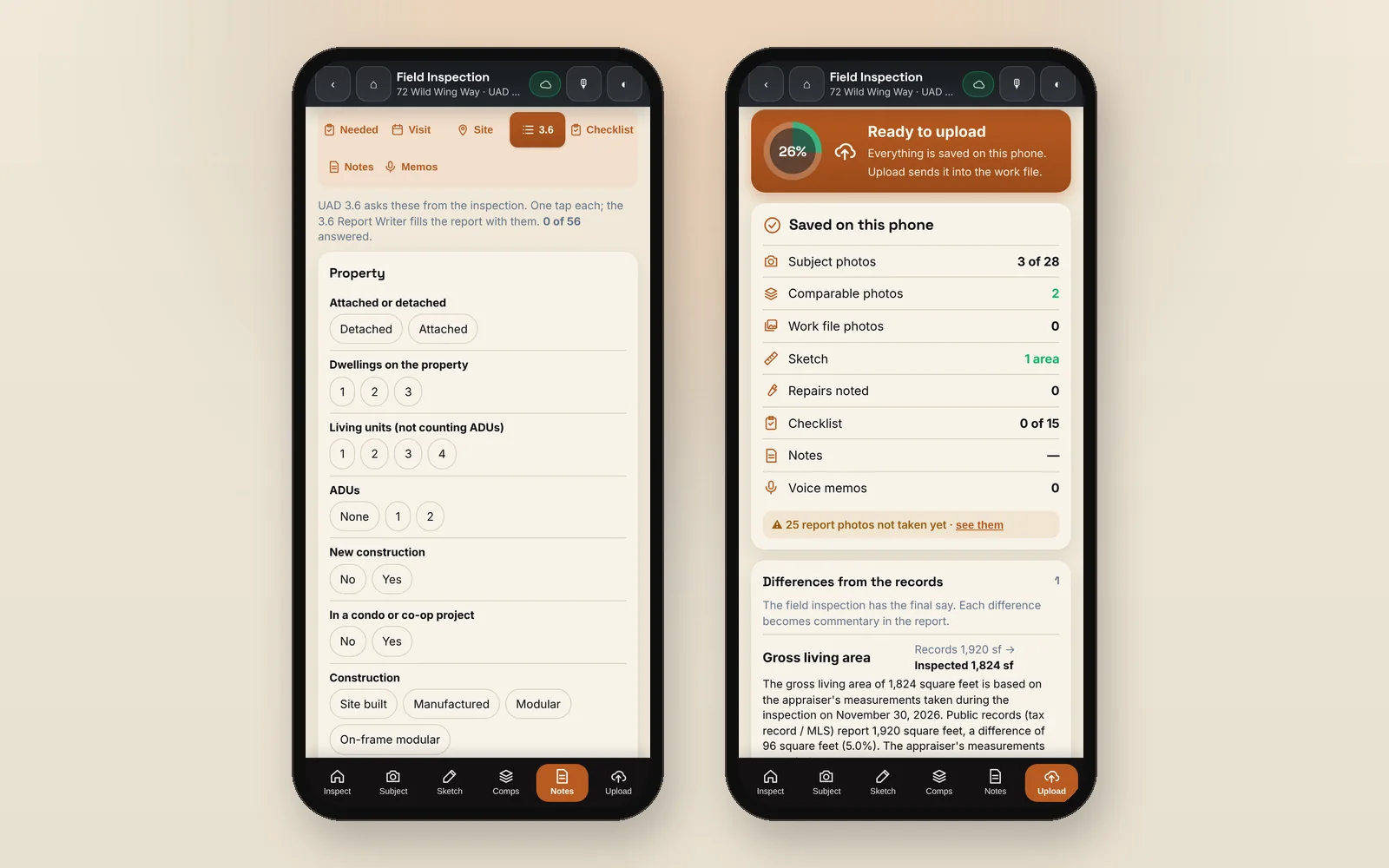
The 3.6 tab asks what the URAR needs from the inspection in one tap each: structure, condition by part, rooms and updates, utilities and floor coverings. Levels and finished area come from your sketch. Upload sends everything into the work file, and the inspected facts replace the tax record wherever they differ, each difference drafted as commentary for you to review.
- Saves on the phone with no signal; uploads when it returns
- End inspection checks for missing photos and open items first
- Inspector role: send a trainee to inspect without opening the file's documents
Everything at the property, in your pocket.
It records what you observe. The observations are yours.
Mobile keeps the photos, measurements and answers you take at the property. Ratings, conditions and every fact in the report stay your call, and where your inspection differs from the records, your inspection wins.
Straight answers.
Is the mobile app included?
Mobile inspection and Sketch are part of every license. Open on your phone and add it to the home screen; there's nothing to install from an app store.
Does it work without signal?
Yes. Photos, the sketch, notes and answers save on the phone. When you end the inspection with no signal, everything uploads as soon as service returns.
How does voice sketching work?
Press the mic on the sketch and say what to draw: a wall and its length, or a whole building in one sentence such as “add a 12 by 16 casita behind the house.” It's drawn next to the house, never on top of anything, and you can move or change it after.
Can a trainee do the inspection?
Yes. Name a trainee as the Inspector on a file. The file shows on their phone with the appointment, photo list, sketch and comps, without the file's documents, values or commentary.
Where do the photos and sketch go?
Into the work file with one upload. The report writers place each photo by its label and level and put the sketch and its area summary in the report automatically.
Leave the clipboard in the truck.
New plans and pricing arrive January 1. Request early access and we'll set you up. Your reports and work stay on your computer.